← Guides · 日本語 · Português · 中文
On this page
Guide 17 — Devin Desktop
Goal: the agent-native editor — every surface of Devin in one window: cloud sessions, local sessions (Devin Local), Bots, and a real IDE around them. Level: start here Sources: Desktop changelog · CLI changelog
What it is#
Devin Desktop is the Windsurf-based editor where all of Devin's surfaces live side by side. Three things to tell apart:
| Surface | Where it runs | Use it for |
|---|---|---|
| Cloud session | Devin's machine, in your org | Unattended tasks, parallel work, PRs for review |
| Devin Local | A background process on your machine | Hands-on edits in your checked-out repo |
| Bot | Persistent agent (see guides 1–5) | An outcome to own — available in Desktop since v3.14 |
Agent Command Center#
The Command Center is the session hub — not an editor:
- Tabs (v3.13.4): several sessions and pages open in one window, each tab with its own Back/Forward history — treat it like a browser for your fleet.
- Session header "..." menu: the session's MCP servers — toggle one, or re-authenticate it, per session.
- Devin Review: the PR walkthrough (diff, bugs, test recording) opens as a page in the same window.
Devin Local — the daemon change#
Since v3.13.4 (Desktop) / v3000.13.4 (CLI), a local session runs in a background process, not inside the window that started it:
- Closing or reopening Devin Desktop — or the CLI — does not stop a session.
- The same session is visible to every client (
devin ls, the Desktop list), but attachment is single-owner: a second client gets a lock banner and force-open stops the first client and hands the session over. devin daemonstarts/stops/checks the process; it exits ~10 min after its last session and client leave.--process-modelchoosesdaemonvsin-process;process_modelinconfig.jsonor/configsets the default.devin ls,devin -rand/resumeopen a session monitor — sessions by last update, with status, directory and message count.
The practical consequence: local work is now durable. Start a long task, close the laptop, reattach from another client — the session kept going.
IDE mode#
- The embedded IDE saves on Cmd/Ctrl+S (no auto-save); unsaved tabs show a dot.
- In a Devin Local browser preview, picking a page element or console output adds it to the composer — point at the bug instead of describing it.
- The Files tab previews PDFs, renders CSV/TSV as tables, and plays media.
Two workflows worth copying#
1. Local → cloud → local. Work in Devin Local, hit the wall (needs org tools, more parallelism, longer than your laptop stays open), /handoff to cloud, review the PR back home. The daemon makes both halves resumable.
2. One window, many surfaces. Command Center for the fleet view, Local for the repo you're in, a Bot for the outcome you don't want to babysit — Desktop is the only place all three share a window.
Walkthrough — recorded on Devin Desktop v3.14.30825#
A real run, not a mock-up: macOS, Pro plan. A Devin Local session edits a throwaway demo-repo on SWE-2 High, then survives the app quitting and gets handed between the CLI and Desktop.
Video (91 s, no audio): Command Center → tabs → Bots → Devin Local → daemon proof → IDE view.
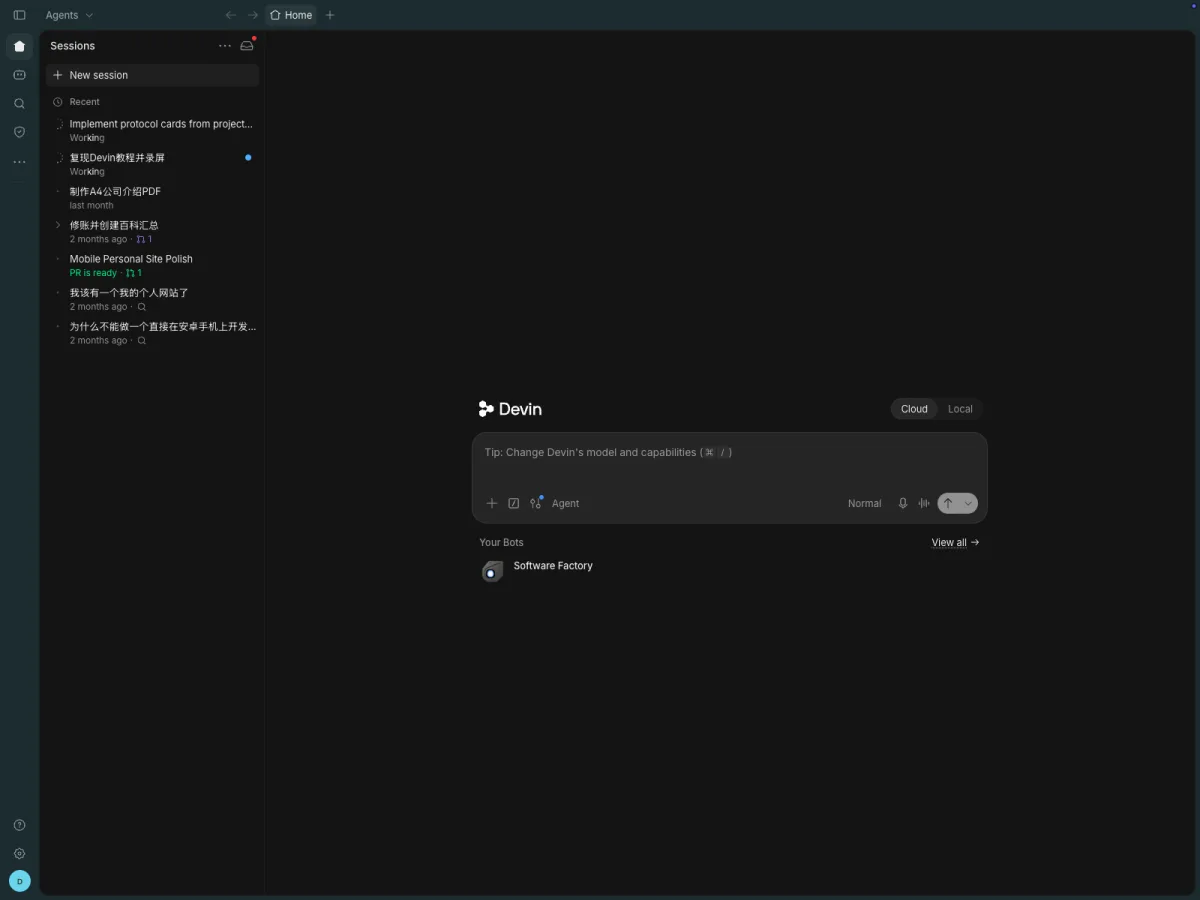 1. Command Center Home — recent sessions, Your Bots, and the Cloud/Local toggle on the composer
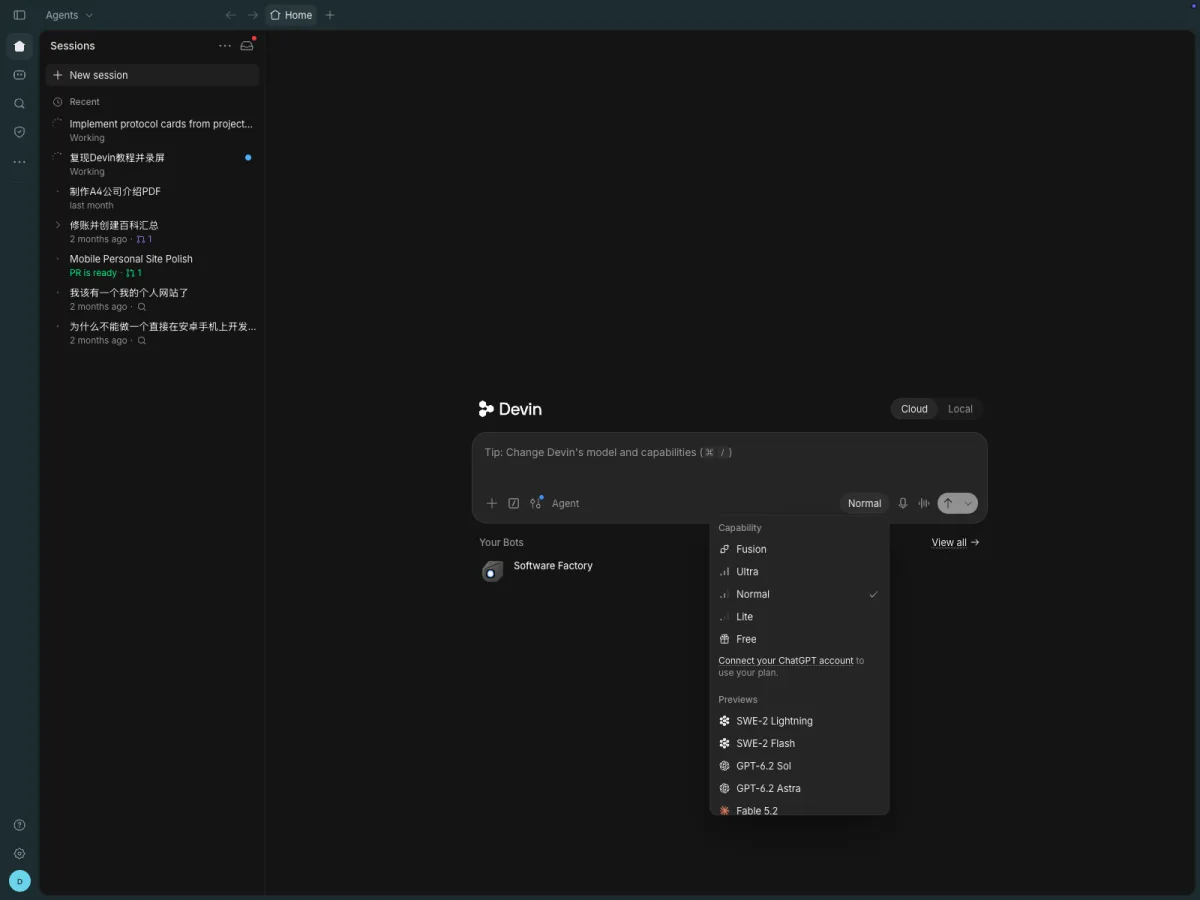 2. The composer model picker: capability tiers (Fusion → Free) and previews incl. SWE-2 Lightning/Flash
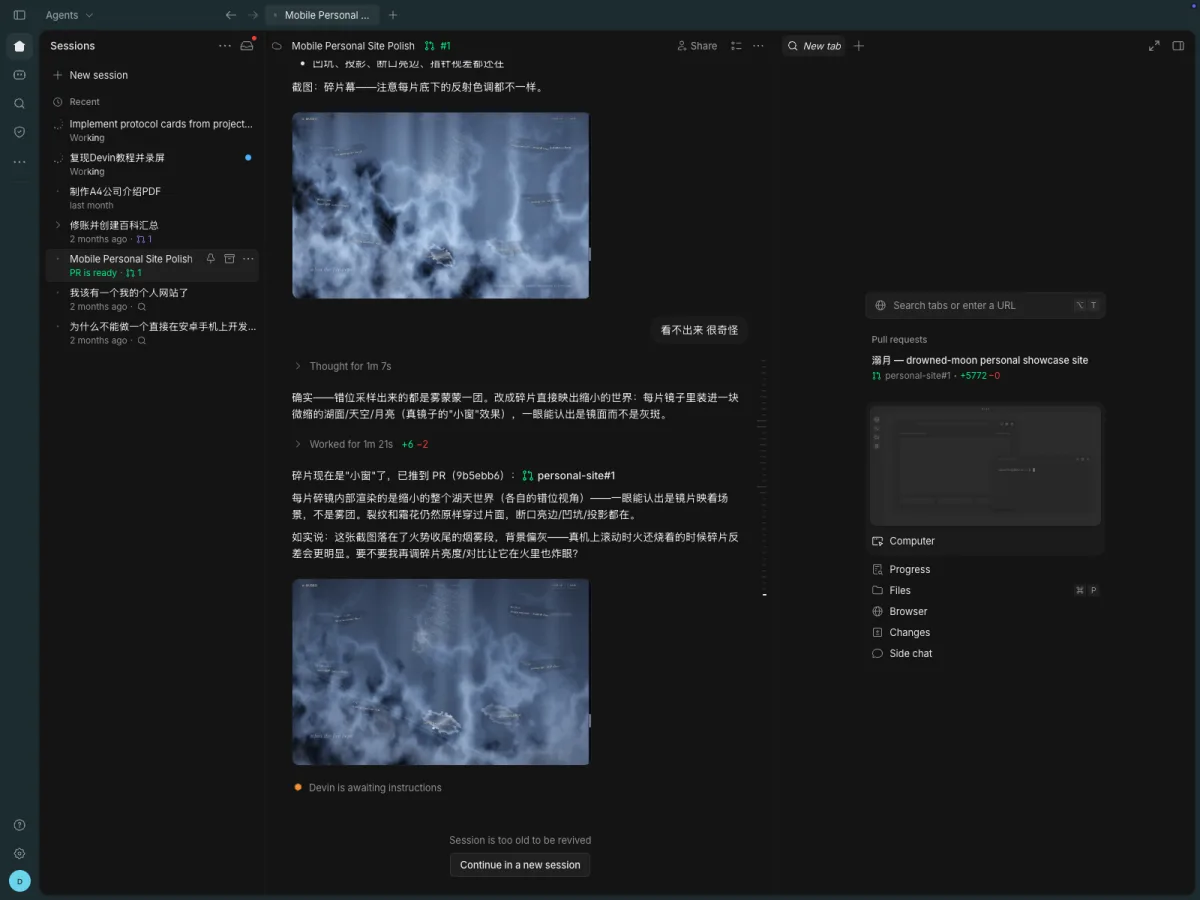 3. A cloud session opens as a tab — the right rail holds Computer, Files, Changes, Terminal
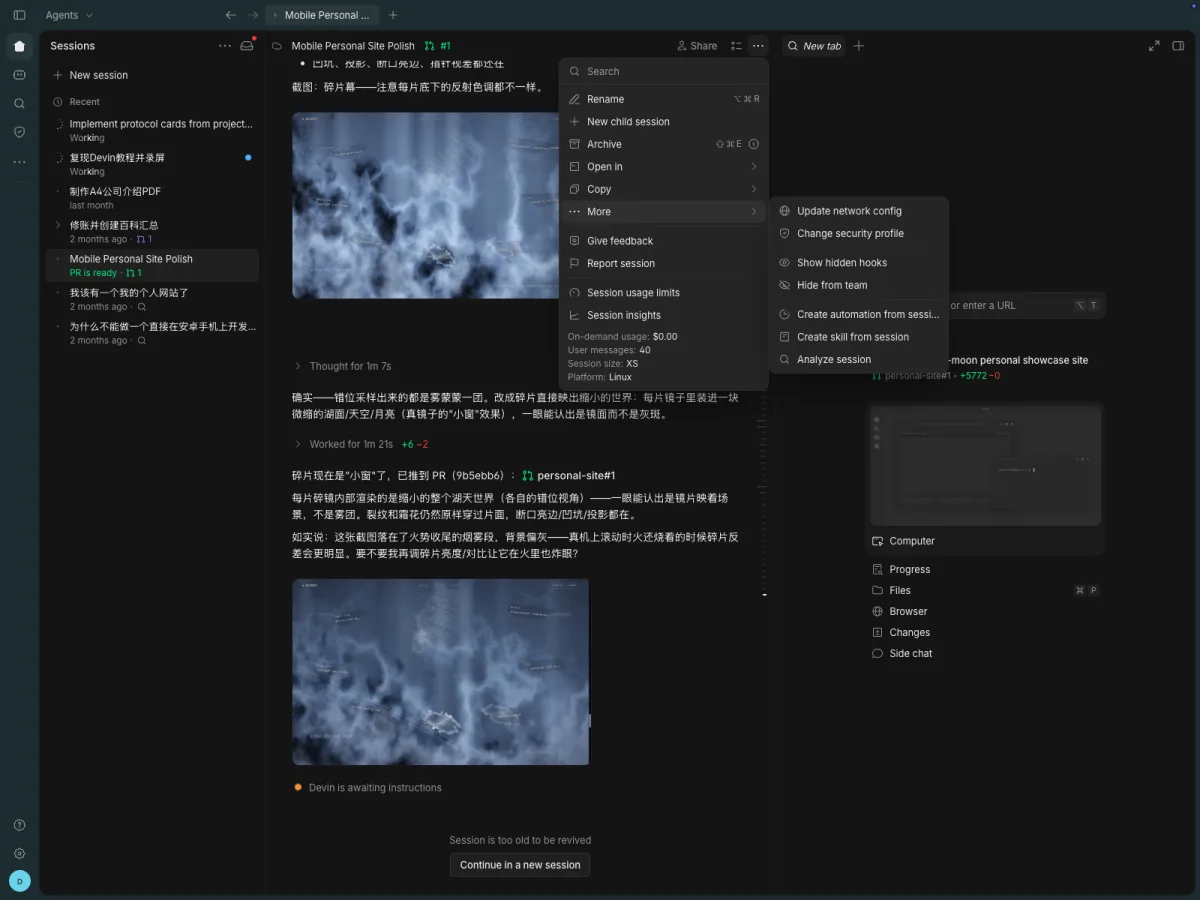 4. The session header "..." menu; MCP servers appear here when a session has them (this one has none)
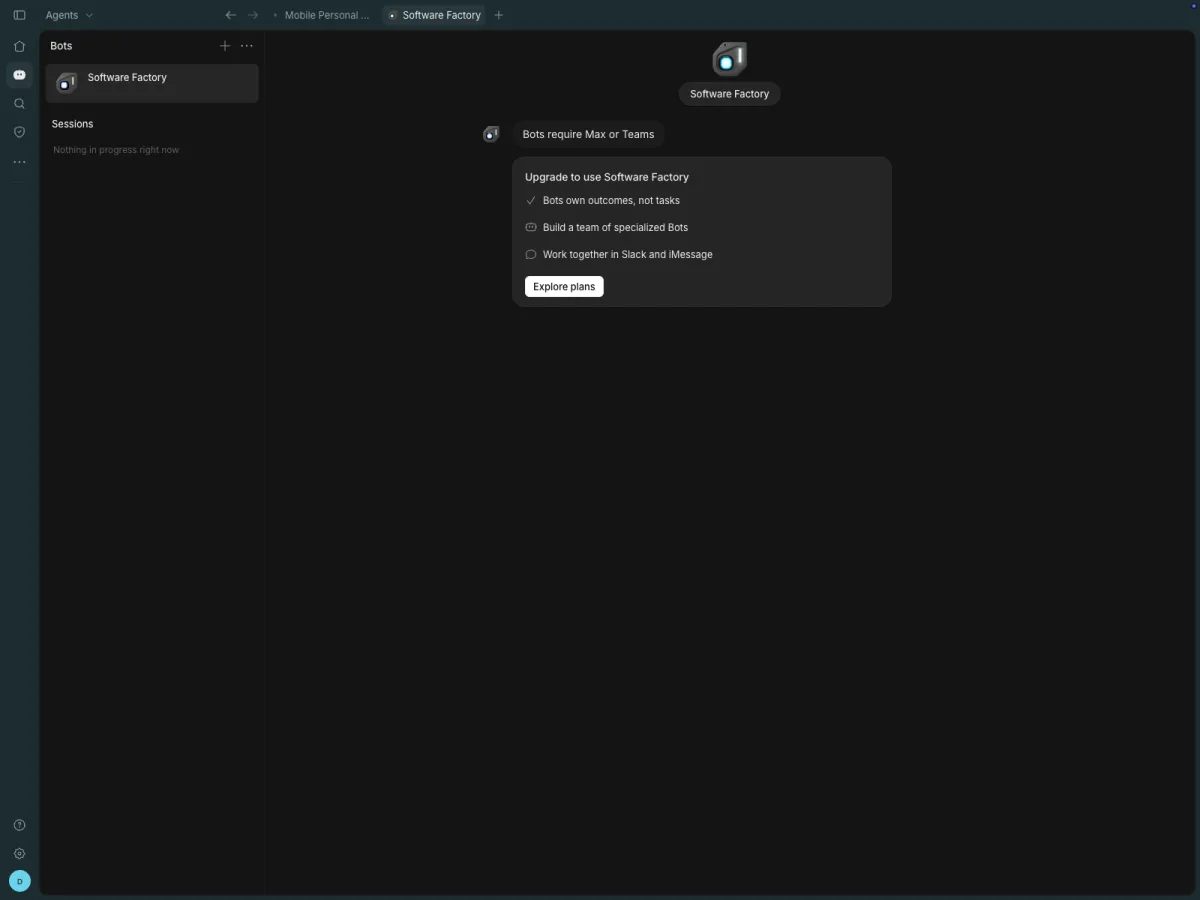 5. Bots in Desktop: the Bots page opens, but this plan can't message a Bot — "Bots require Max or Teams" (honest gap)
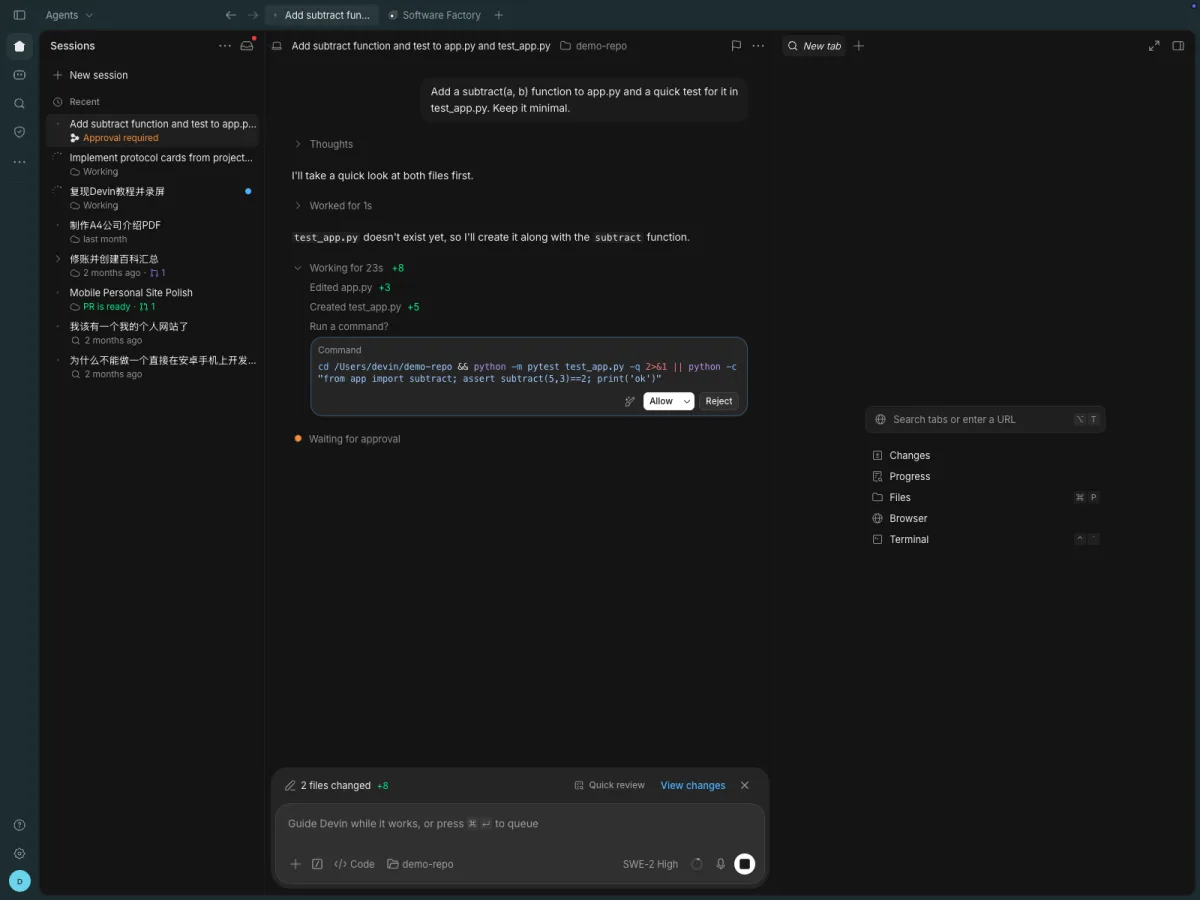 6. Devin Local asks before running commands — Allow or Reject, per command
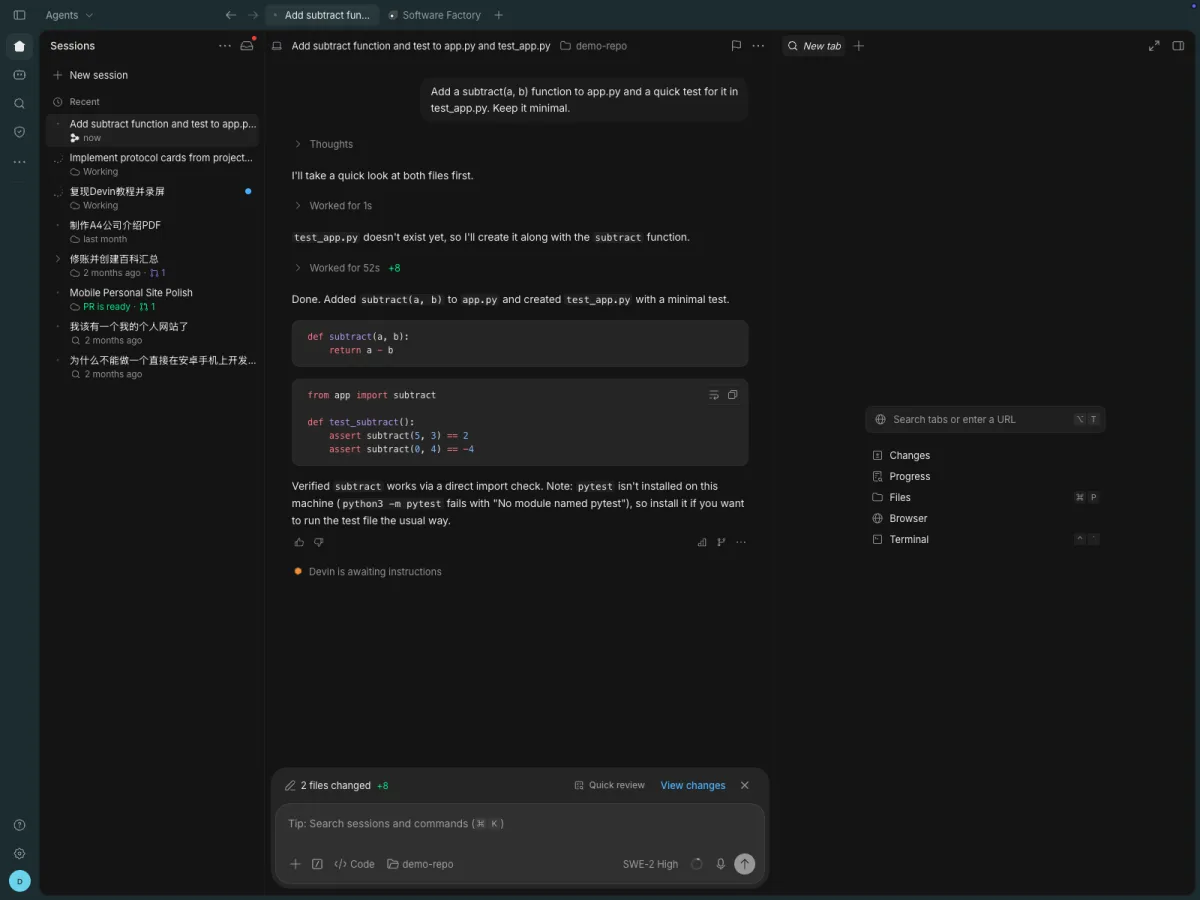
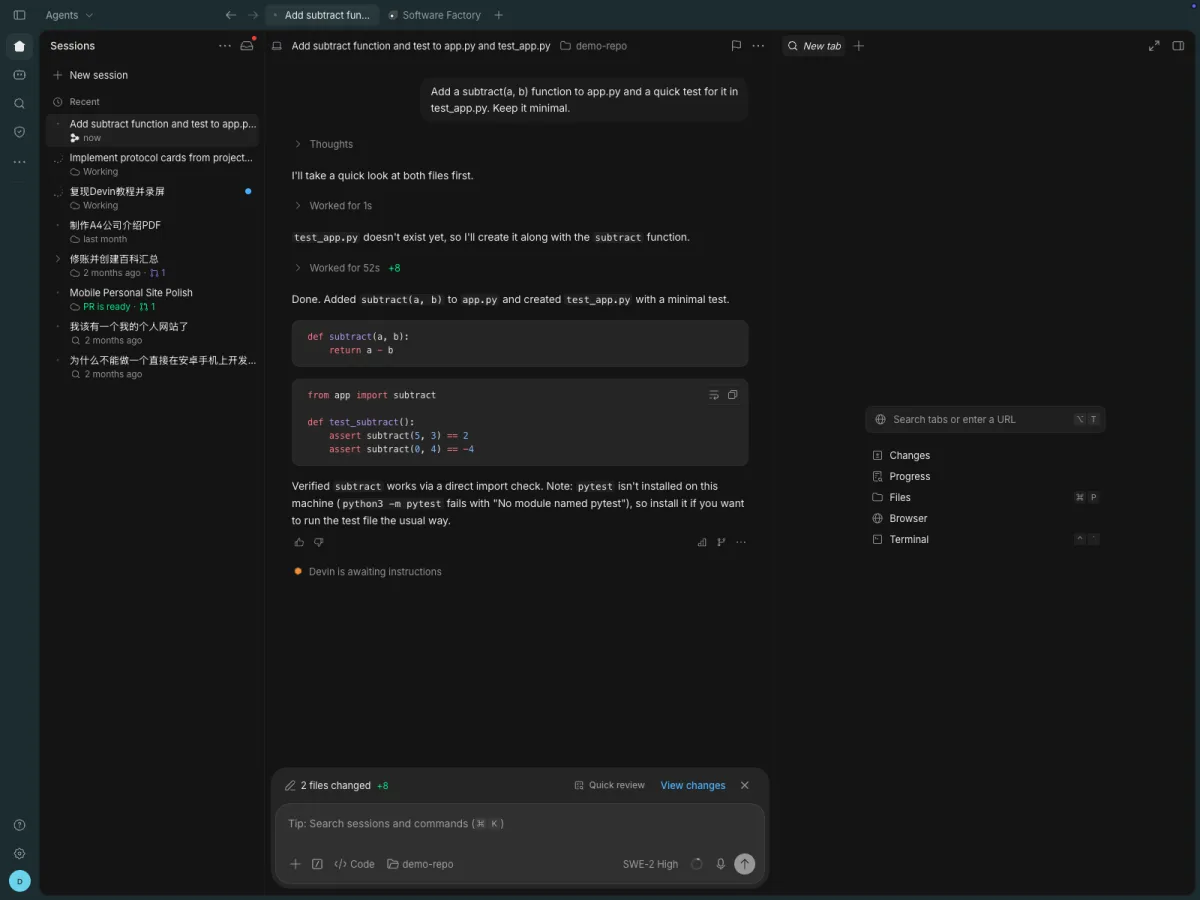 7. The Local session finished on SWE-2 High — 2 files changed, with a quick-review diff
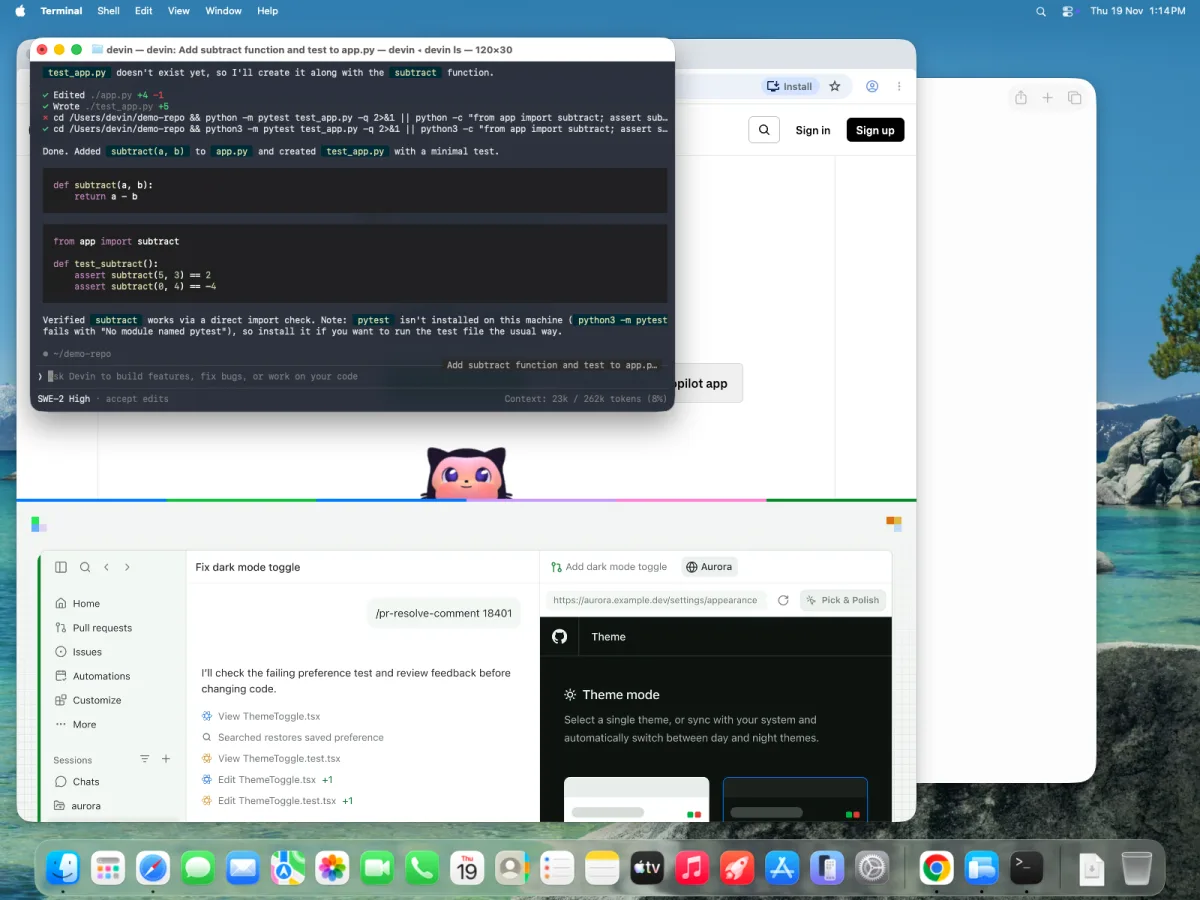 8. Daemon proof: quit Desktop,
devin ls still lists the session — resuming attaches with the full transcript
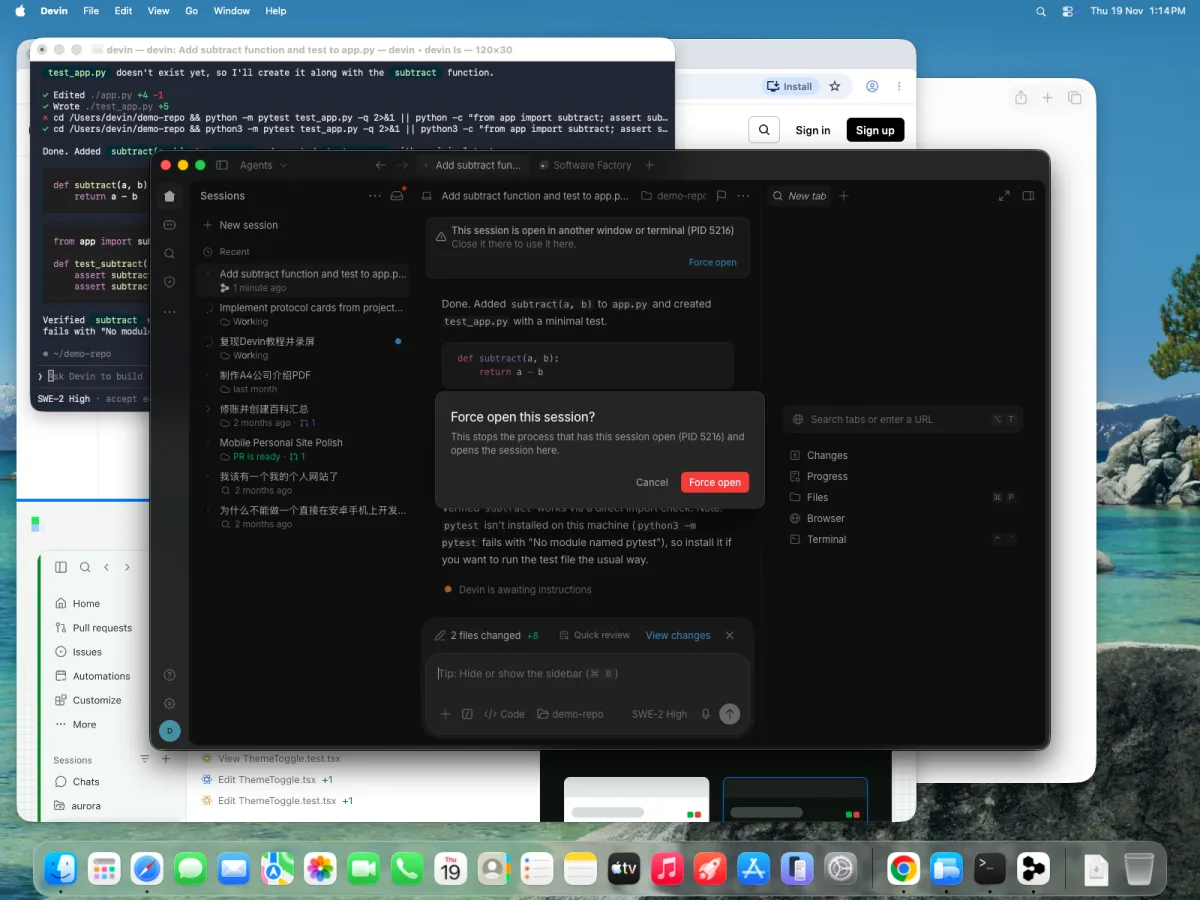 9. Two clients can't co-pilot: the second gets a lock banner, Force open transfers the session, the first client disconnects
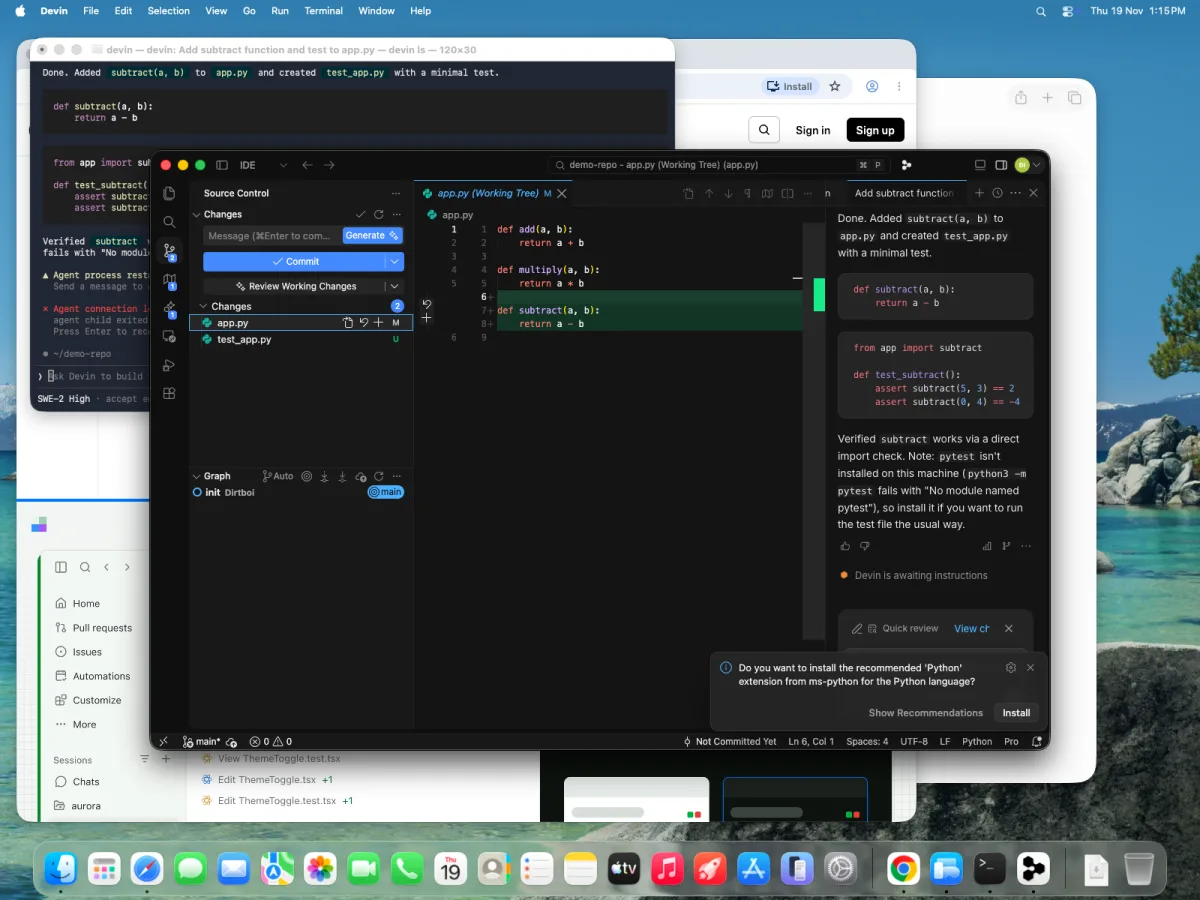 10. IDE view: a real editor around the same session — source control lists its edits; unsaved tabs show a dot until Cmd+S
Verify it#
- [ ] A Devin Local session survives closing and reopening Desktop
- [ ]
devin lssaw a Desktop-spawned session anddevin -rresumed it with its full transcript - [ ]
devin lsopened the session monitor and joined a running session - [ ] A Bot created from its Desktop chat answered in that chat
Pitfalls#
- "Not authorized to use the CLI" — accounts with Desktop access but no CLI access hit this on Devin Local sign-in (fixed in v3.14.30825; update if you see it).
- Tabs are per-window state. An action in a session page only acts on its tab — but the session is shared, so a second client attaching sees the same live session, not a copy.
- Managed machines: enterprise admins control Desktop settings via device policies (e.g.
DetectProxyfor the language server) — check with IT before debugging the network yourself. - "Archive" vs "Mark done". Desktop's "..." menu (frame 4) still says Archive, but the webapp renamed it Mark done (Nov 16): the session moves to your Done folder yet keeps running and stays visible to its other subscribers — the sidebar now lists sessions you're subscribed to, so don't "clean up" a session other people depend on. Related: a new Phonebook links each member's identities across Devin/Slack/Teams/git/Jira/Linear.
Knowledge check#
- What changed about local sessions in v3.13.4? (They run in a background process — closing the app no longer stops them, and any client can see and take over the session.)
- When do you pick Devin Local over a cloud session? (When you want hands-on edits in your checked-out repo with your local context; hand off to cloud for scale or org integrations.)
- What lives in the session header's "..." menu? (The session's MCP servers — toggle or re-authenticate them per session.)
Sources#
- Devin Desktop changelog — v3.13.4 (tabs, background local sessions), v3.14 (Bots in Desktop,
DetectProxypolicy) - Devin release notes — Nov 16: Mark done replaces Archive, subscribers sidebar, Phonebook
- Devin CLI changelog — v3000.13.4:
devin daemon,--process-model, session monitor - Related: Guide 12 — Devin CLI & extensibility · Guide 1 — Your first Bot