← 指南 · English · 日本語 · Português
本页目录
指南 6 — 事件驱动的 Automations
目标: 把外部事件——Slack、Teams、GitHub、Linear、Jira、PagerDuty、cron、webhook——接到会自己启动的 Devin 会话上。 级别: 入门(平台篇)· 用时: ~20 分钟 来源: Automations docs · 官方视频演示
解剖#
每个 automation 都是四个部分:
| 部分 | 作用 |
|---|---|
| Trigger | 触发它的事件——一条 Slack 消息、一次失败的 CI、一次 cron 跳动、一个 HTTP webhook |
| Conditions | 可选过滤——只要 bug label、只要这个 repo、只要含 /devin 的消息 |
| Preflight check | 可选 LLM 过滤或脚本,在命中之后、动作之前跑——可跳过事件或拆成工作项 |
| Action | 跑什么:启动会话、给现有会话发消息、triage monitor、或邮件通知 |
触发器目录#
| 来源 | 触发于 | 典型用途 |
|---|---|---|
| Slack | 新消息、新增 reaction、用户组提及 | 分拣 #incidents;🚨 reaction → 调查 |
| Microsoft Teams | 消息、reaction | 在 bug 报告所在的 thread 里作答 |
| GitHub | Issue、issue 评论、PR、PR 评审、check run、push | 自动修失败 CI;/devin 评论 → 会话 |
| GitLab | MR、MR 评论、issue、push、pipeline | 修失败 pipeline |
| Linear | Issue 创建/标记/状态/优先级/指派/移动 | 工单指派给 Devin 时实现它 |
| Jira | Issue 创建/更新/标记/状态/指派/评论 | 同上,Jira 形态 |
| Pylon | Issue 创建/标记/状态 | 客户 bug 分拣 |
| PagerDuty | 事故触发/确认/解决 | 高优事故触发即查 |
| Schedule | Cron 或一次性 | 每日 Sentry 清扫、每周依赖更新、每晚冒烟 |
| Webhook | 任意 HTTP POST | 其它一切——Datadog、Sentry、你自己的系统 |
一个 automation 上的多个触发器按 OR 生效——例如 GitHub CI 失败或 Slack reaction 任一即触发。
配方 1 — 任意 issue 上 /devin#
野外部署最多的触发器:
Trigger:   GitHub → issue comment, repo = your/repo
Condition: comment body starts with "/devin"
Action:    Start session — prompt includes the event payload
效果:团队任何人在 issue 评论 /devin investigate this,会话就带着完整 thread 上下文接单。
配方 2 — CI 失败自修复#
Trigger:   GitHub → check run, repo = your/repo
Condition: conclusion = failure
Action:    Start session: "CI check <name> failed on this commit.
            Diagnose the failure from the logs, fix it, and push to
            the same branch."
事件载荷把失败的 check + commit 带进会话——零人工复制粘贴。
配方 3 — 定时清扫#
Trigger:   Schedule → daily 09:00
Action:    Start session: "Sweep yesterday's Sentry issues in
            <project>. File the top 3 by impact as tickets and
            start the most actionable one."
每日卫生循环(Sentry 清扫、依赖更新、冒烟测试)是 ROI 最高的 automation——它们把"该有人看看"变成"已经看了"。
动作类型怎么选#
| 动作 | 何时用 |
|---|---|
| Start session | 默认——每个事件得到全新机器和上下文 |
| Message session | 一个长驻会话持有状态——把事件喂进去(Bot 的种子形态) |
| Triage Devin | 一个常驻 Devin 盯整个 Slack 频道并派生子调查(事故场景见 Devin Oncall) |
| Email notification | 只是告诉你它跑了 |
Automation vs Bot: automation 是哑管道——事件进、会话出。Bot 在同一批触发器外加记忆、判断和跨会话规划。先用 automation;当工作需要跟进到底时再升级成 Bot(第 2–5 篇)。
动手建#
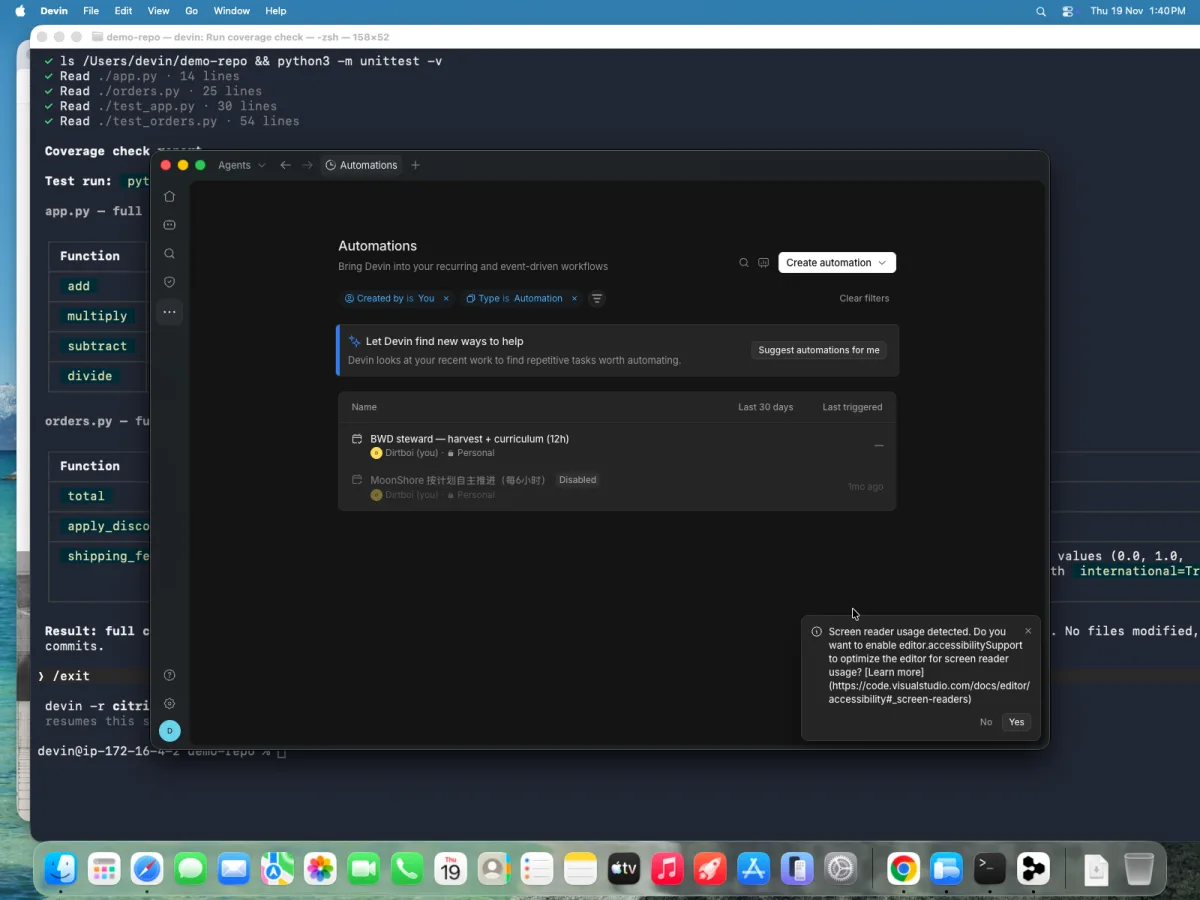
Automations 页面右上 Create automation 下拉里有四条创建路径:
- Create manually —— 空白编辑器:选 trigger → conditions → action
- Create from template —— 常见工作流的预配 automation 画廊
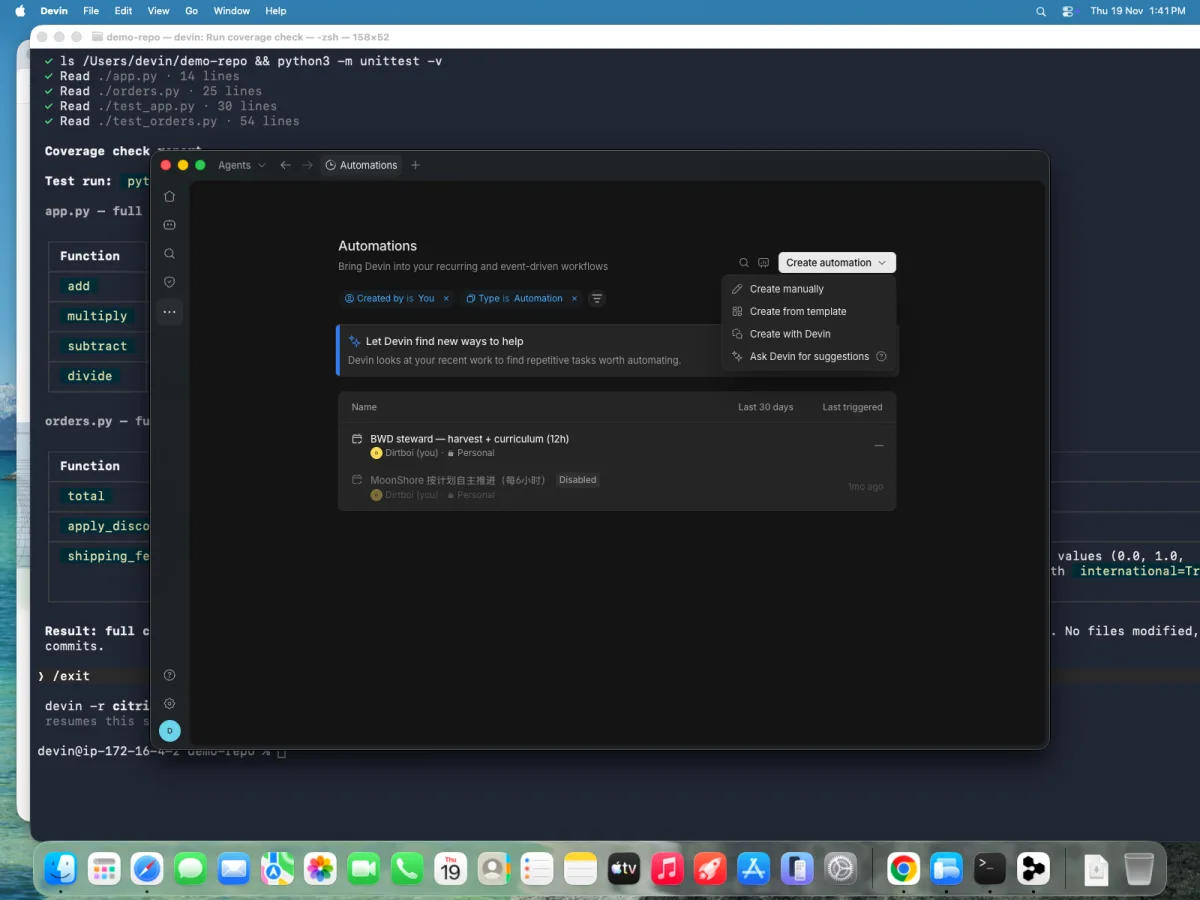
- Create with Devin —— 用大白话描述("when a CI check fails on my-org/my-repo, have Devin fix it and push to the same branch");它会起个会话问你配置问题,再把拼好的 automation 交给你批准
- Ask Devin for suggestions —— 让 Devin 扫你的仓库,推荐值得建的 automation
咬过人的细节:
- Slack 触发器需要把 Devin 拉进频道并且在 Settings → Connections 连上你个人的 Slack
- Teams 私有频道只在 @mention 时触发
- GitHub 触发器必须指定具体 repo
- automation 多了用 Terraform provider 声明式管理
- v3 的会话创建 API 接受
memory_enabled: false——派生会话(及其子会话)全程不开记忆,适合不希望跨运行携带学习上下文的 automation
实录演示 —— 真建、真触发、真验证一个 automation,录于 Devin Desktop v3.14(Pro 方案)#
走 Create with Devin 路径端到端:用大白话描述一个每周 changelog 清扫 → 回答它的配置问题 → 批准生成的 automation → 手动触发 → 看着一份真报告落地。
视频(5 分钟,无声,4 倍速): Automations 页 → 生成会话 → 批准卡片 → 手动触发 → 报告。
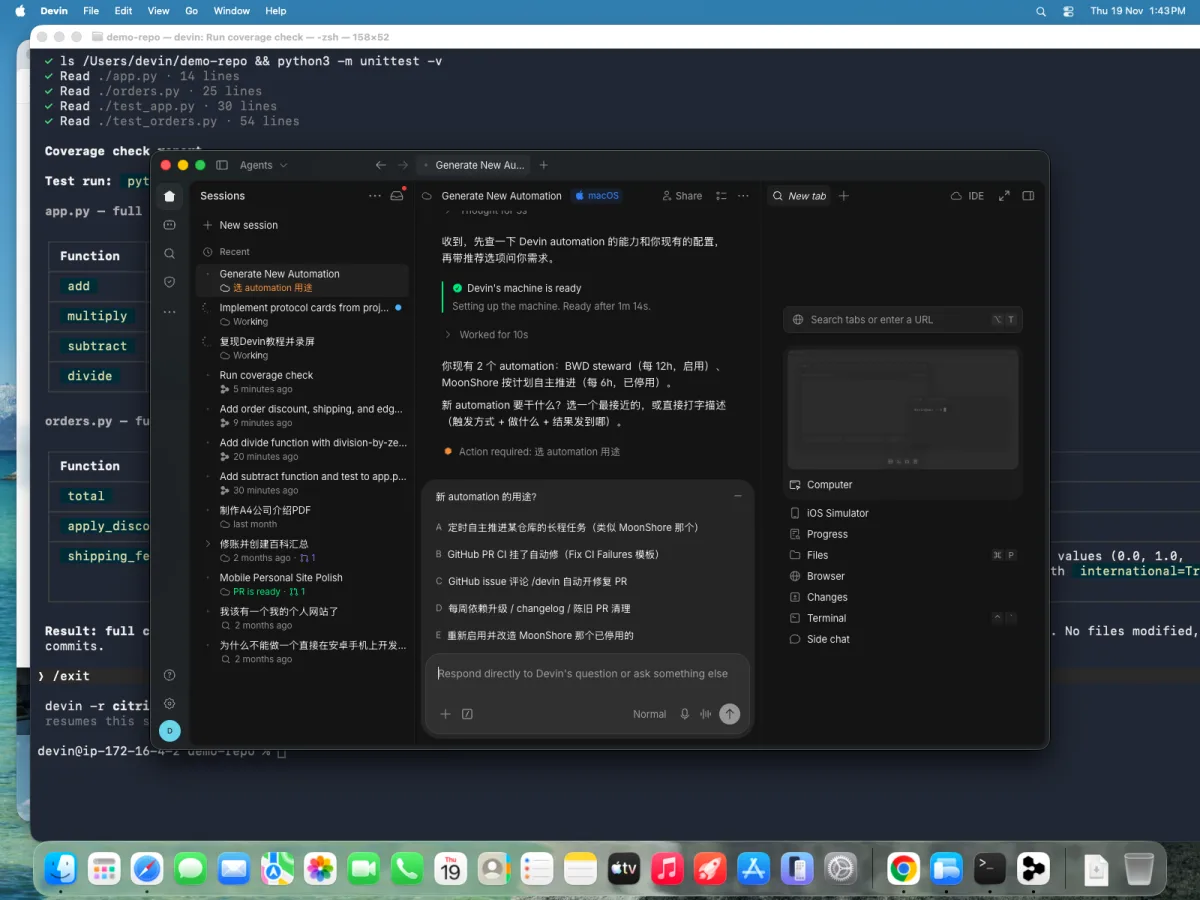
 1. Automations 页——现有 automation + Create automation 下拉
 2. 四条创建路径——Create manually / from template / with Devin / ask for suggestions
 3. 生成会话问的都是定向问题——它已经知道你现有的 automation
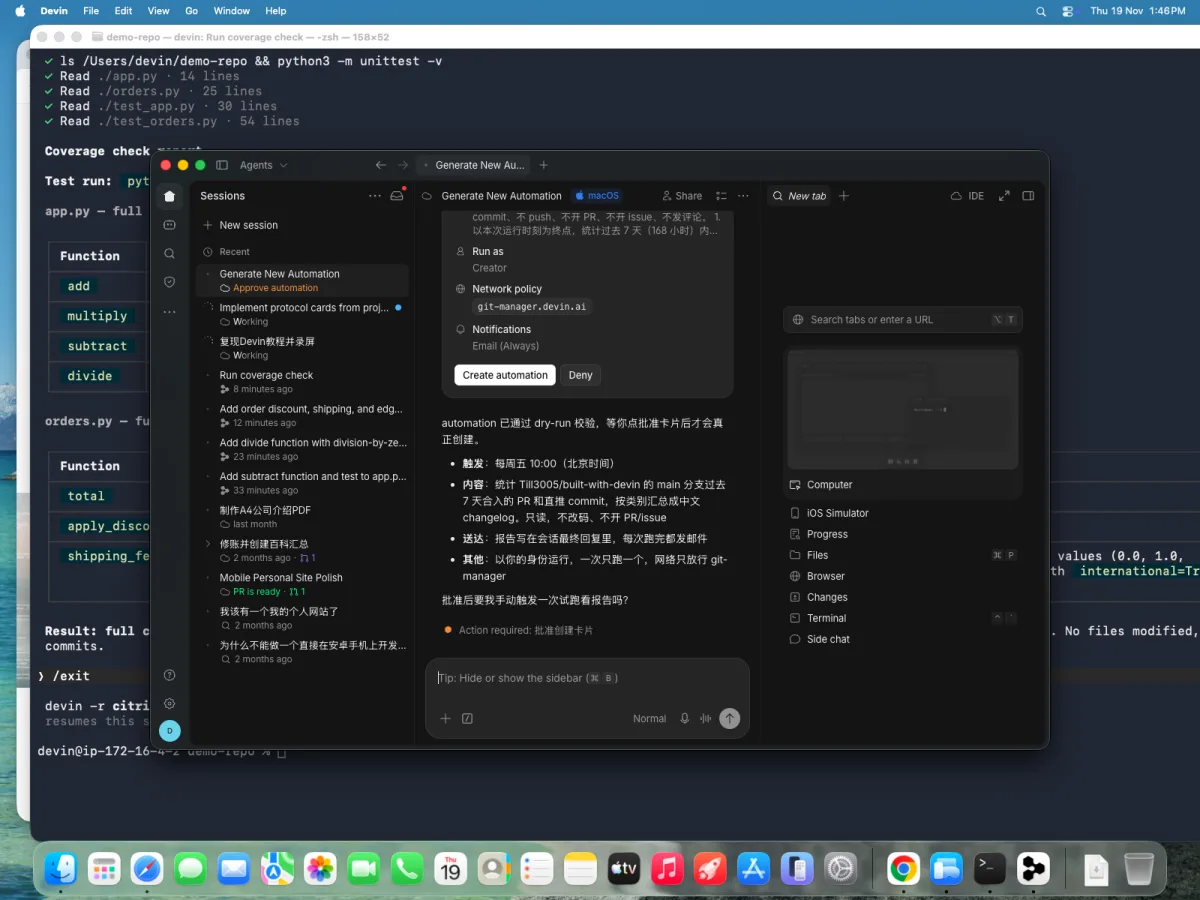 4. 每次创建都卡一张批准卡——触发、范围、run-as、网络策略全列出
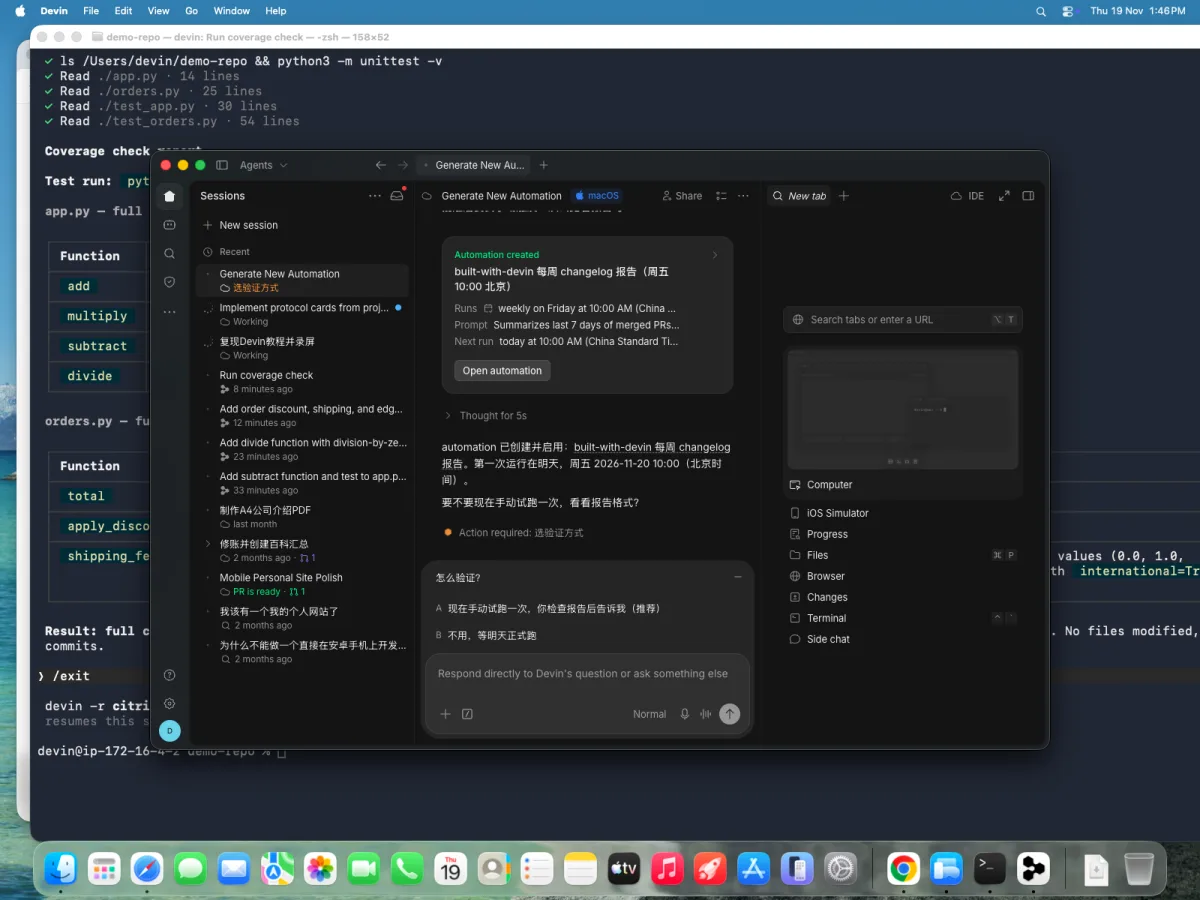 5. Automation 已创建——每周五 10:00 北京时间、只读报告、邮件通知
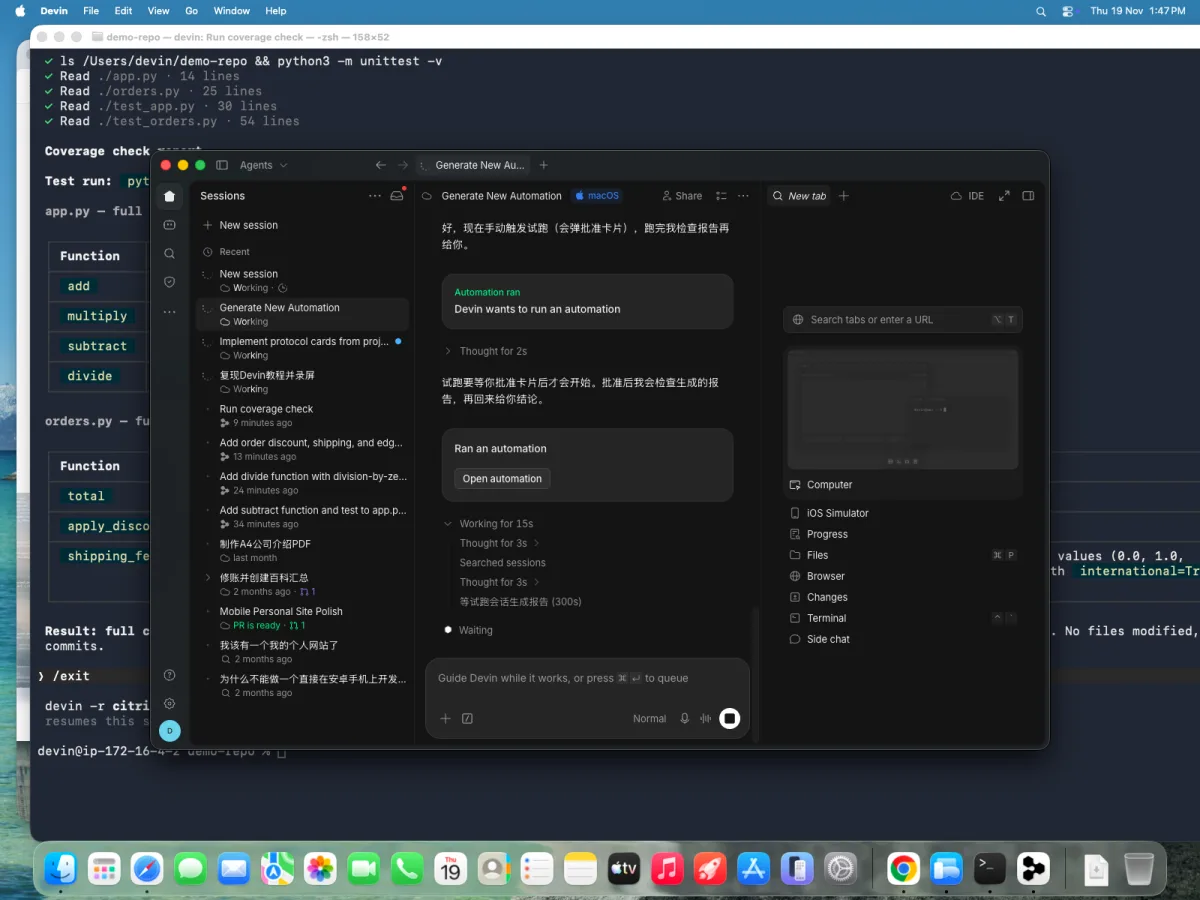 6. 手动触发——同样的批准卡门禁;拉起的会话出现在侧栏
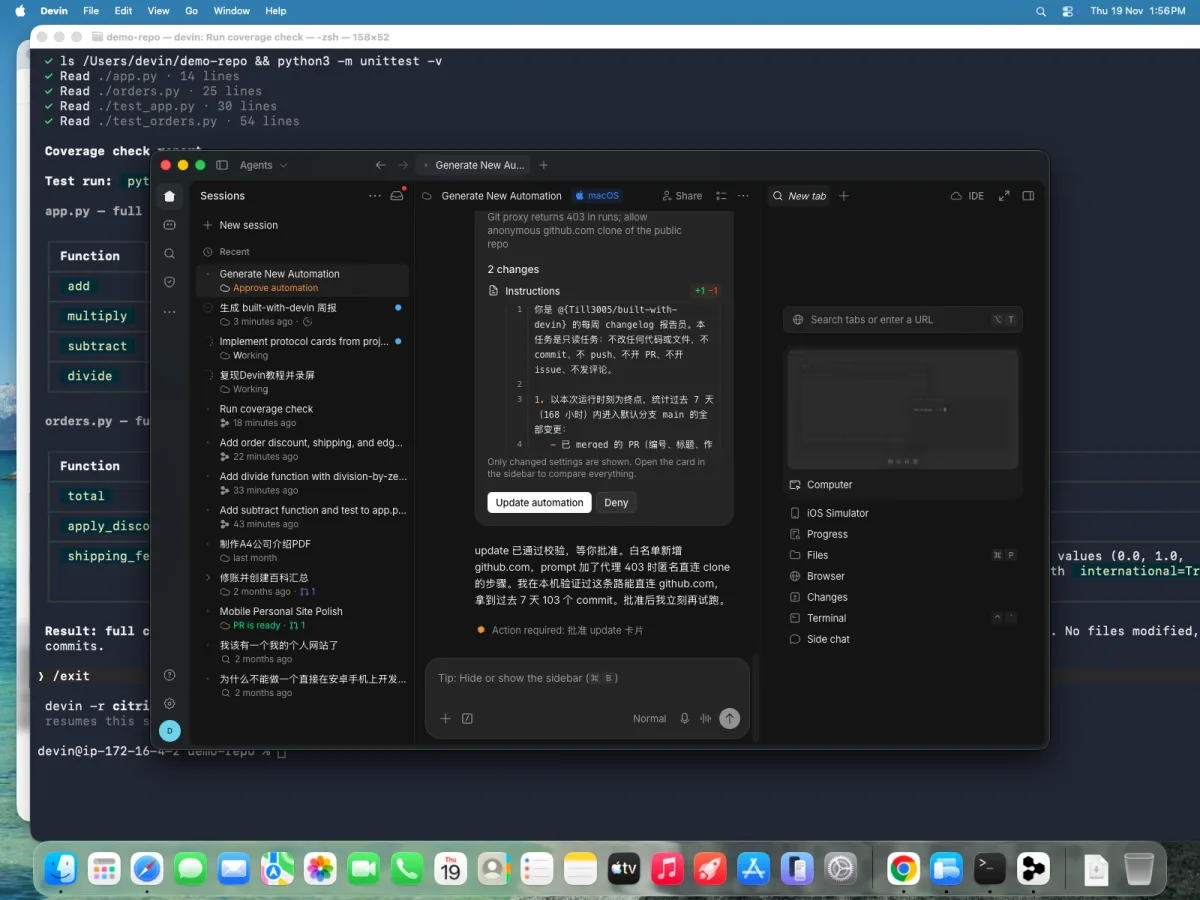 7. 一次如实的磕绊——子会话走 git 代理 clone 两次 403;修法是把 github.com 加进网络白名单 + 匿名 clone 兑底——automation 拉起的会话不会自动继承你本机 shell 的 git 权限
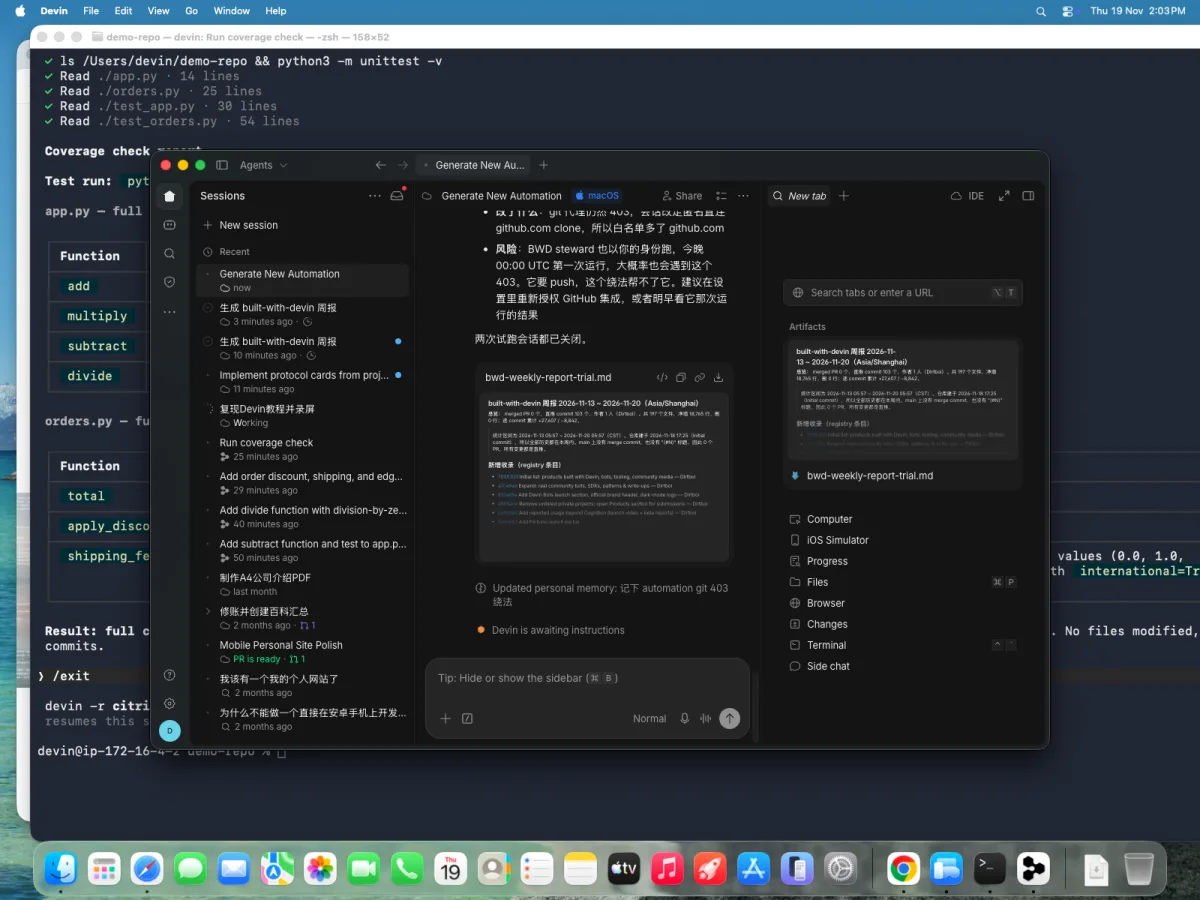 8. 验证过的产出——一份真把本周 103 个 commit 分类的 changelog,以 artifact 交付
Verify it#
- [ ] 手动触发一次(评论
/devin test或推一个失败 commit),看到会话带着事件载荷启动 - [ ] 不匹配的事件(错 label、错频道)什么都不发生
- [ ] 动作产出落在你预期的位置(PR、Slack thread、工单)
自检#
- 同事想让 Devin「盯所有 GitHub 通知」——你先让他收窄什么?(哪种事件子类型才代表可操作的工作——打了某个 label、被请求 review——而不是所有通知。)
- 为什么不匹配的事件应该直接不产出会话,而不是让会话自己判断后跳过?(会话要烧 ACU;上游拦截免费,会话内拦截不免费。)
- 什么情况下 automation 应该升级成 Bot?(触发的工作需要随时间积累的判断力——记忆、优先级、一个持续的目标。)
常见陷阱#
- 死循环。 产出物会再次触发自身的 automation(Devin 在 PR 上评论、触发器监听「新评论」)会无限烧会话。按作者、label 或事件子类型拦截。
- 触发风暴。 按 commit 触发而非按 PR 触发的 webhook,在繁忙日可能一次性拉起 50 个会话。节流:一个 automation 对应一个可认领的工作单元,而不是每个原始事件。
- 没有审批门。 触发即自动合并/自动部署等于跳过人工控制点——除非你测量过理由充分,否则保持「会话开 PR、人来合并」。
Sources#
- Automations — docs
- Devin Automations QuickStart (video)
- 相关:第 3 篇 — 定时哨兵 Bot(在 cron 之上加 Bot 判断)