← Guides · 日本語 · Português · 中文
On this page
Guide 6 — Event-driven automations
Goal: wire external events — Slack, Teams, GitHub, Linear, Jira, PagerDuty, cron, webhooks — to Devin sessions that start themselves. Level: start here (platform guide) · Time: ~20 minutes Source: Automations docs · official video walkthrough
The anatomy#
Every automation is four parts:
| Part | What it does |
|---|---|
| Trigger | The event that fires it — a Slack message, a failed CI run, a cron tick, an HTTP webhook |
| Conditions | Optional filters — only label bug, only this repo, only messages containing /devin |
| Preflight check | Optional LLM filter or script that runs after a match, before actions — can skip the event or split it into work items |
| Action | What runs: start a session, message an existing session, triage monitor, or email notification |
Trigger catalog#
| Source | Fires on | Canonical use |
|---|---|---|
| Slack | New message, reaction added, user-group mention | Triage #incidents; 🚨 reaction → investigate |
| Microsoft Teams | Message, reaction | Answer bug reports in the thread they were posted |
| GitHub | Issue, issue comment, PR, PR review, check run, push | Auto-fix failing CI; /devin comment → session |
| GitLab | MR, MR comment, issue, push, pipeline | Fix failing pipelines |
| Linear | Issue created/labeled/status/priority/assigned/moved | Implement tickets when assigned to Devin |
| Jira | Issue created/updated/labeled/status/assigned/commented | Same, Jira-shaped |
| Pylon | Issue created/tagged/status | Customer-bug triage |
| PagerDuty | Incident triggered/acknowledged/resolved | Investigate high-urgency incidents on fire |
| Schedule | Cron or one-time | Daily Sentry sweep, weekly dep updates, nightly smoke tests |
| Webhook | Any HTTP POST | Anything else — Datadog, Sentry, your own systems |
Multiple triggers on one automation act as OR — e.g. fire on either a GitHub CI failure or a Slack reaction.
Recipe 1 — /devin on any issue#
The most-deployed trigger in the wild:
Trigger:   GitHub → issue comment, repo = your/repo
Condition: comment body starts with "/devin"
Action:    Start session — prompt includes the event payload
Result: anyone on the team comments /devin investigate this on an issue, and a session picks it up with the full thread as context.
Recipe 2 — CI failure self-repair#
Trigger:   GitHub → check run, repo = your/repo
Condition: conclusion = failure
Action:    Start session: "CI check <name> failed on this commit.
            Diagnose the failure from the logs, fix it, and push to
            the same branch."
The event payload carries the failing check + commit into the session — no human copy-paste.
Recipe 3 — Scheduled sweep#
Trigger:   Schedule → daily 09:00
Action:    Start session: "Sweep yesterday's Sentry issues in
            <project>. File the top 3 by impact as tickets and
            start the most actionable one."
Daily hygiene loops (Sentry sweeps, dependency updates, smoke tests) are the highest-ROI automations — they turn "someone should check" into "it's checked."
Action types, choosing between them#
| Action | Use when |
|---|---|
| Start session | The default — each event gets a fresh machine and context |
| Message session | A long-lived session maintains state — feed events into it (the seed of a Bot) |
| Triage Devin | A persistent Devin watches a whole Slack channel and spawns child investigations (see Devin Oncall for incidents) |
| Email notification | Just tell you it ran |
Automation vs. Bot: automations are dumb pipes — event in, session out. A Bot adds memory, judgment, and multi-session planning around the same triggers. Start with automations; graduate to a Bot when the work needs follow-through (Guides 2–5).
Build it#
Four creation paths on the Automations page, under the Create automation dropdown:
- Create manually — the blank editor: pick trigger → conditions → action
- Create from template — the gallery of pre-configured automations for common workflows
- Create with Devin — describe it in English ("when a CI check fails on my-org/my-repo, have Devin fix it and push to the same branch"); a session asks config questions, then presents the assembled automation for approval
- Ask Devin for suggestions — Devin scans your repos and proposes automations worth having
Notes that bite people:
- Slack triggers need Devin invited to the channel and your personal Slack connected in Settings → Connections
- Private Teams channels only fire on @mention
- A GitHub trigger must name a specific repo
- Manage automations declaratively with the Terraform provider if you're running many
- The v3 session-create API accepts
memory_enabled: false— the spawned session (and its child sessions) runs with memory off, for automations that shouldn't carry learned context between runs
Walkthrough — an automation built, fired and verified on Devin Desktop v3.14 (Pro plan)#
The Create with Devin path end-to-end: describe a weekly changelog sweep in plain language, answer its config questions, approve the generated automation, fire it manually — and watch a real report land.
Video (5 min, silent, 4× speed): Automations page → generate session → approval cards → manual run → report.
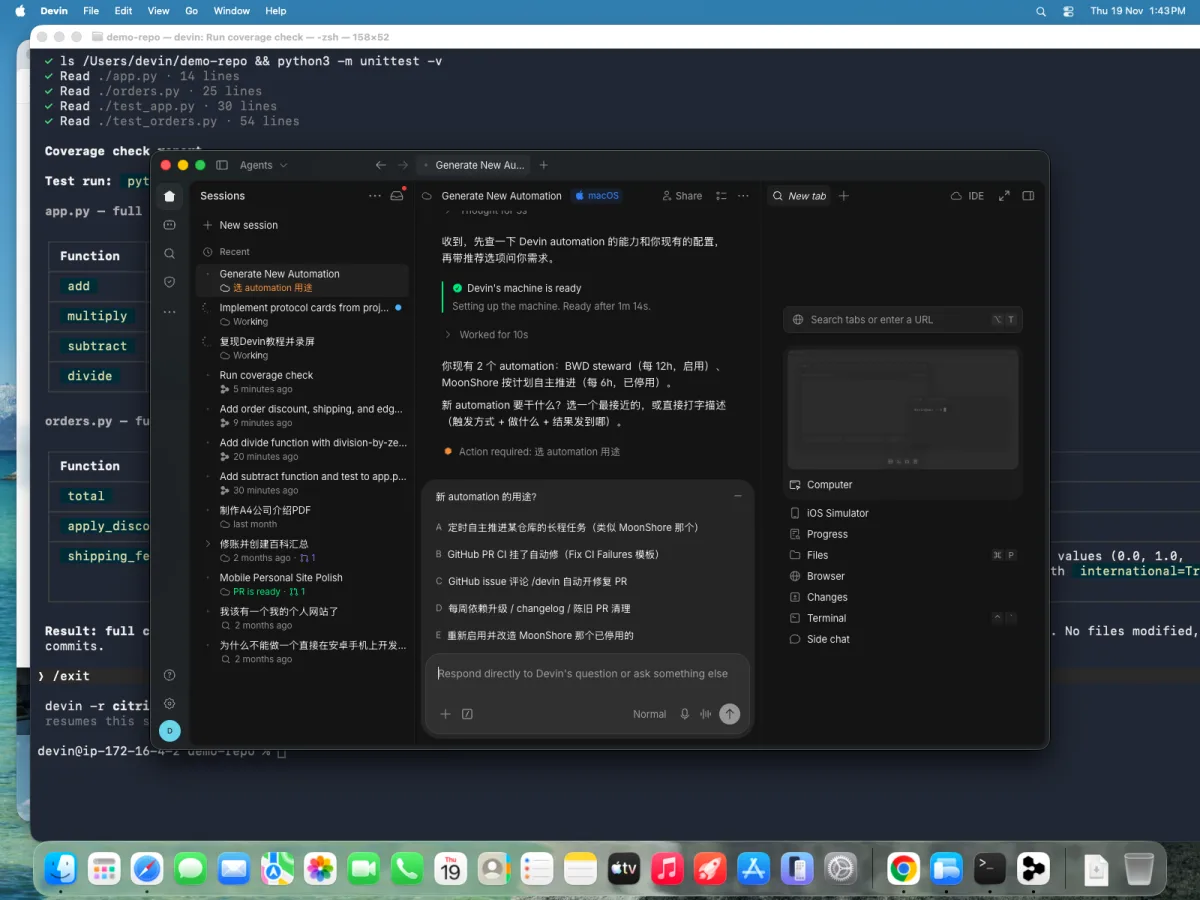
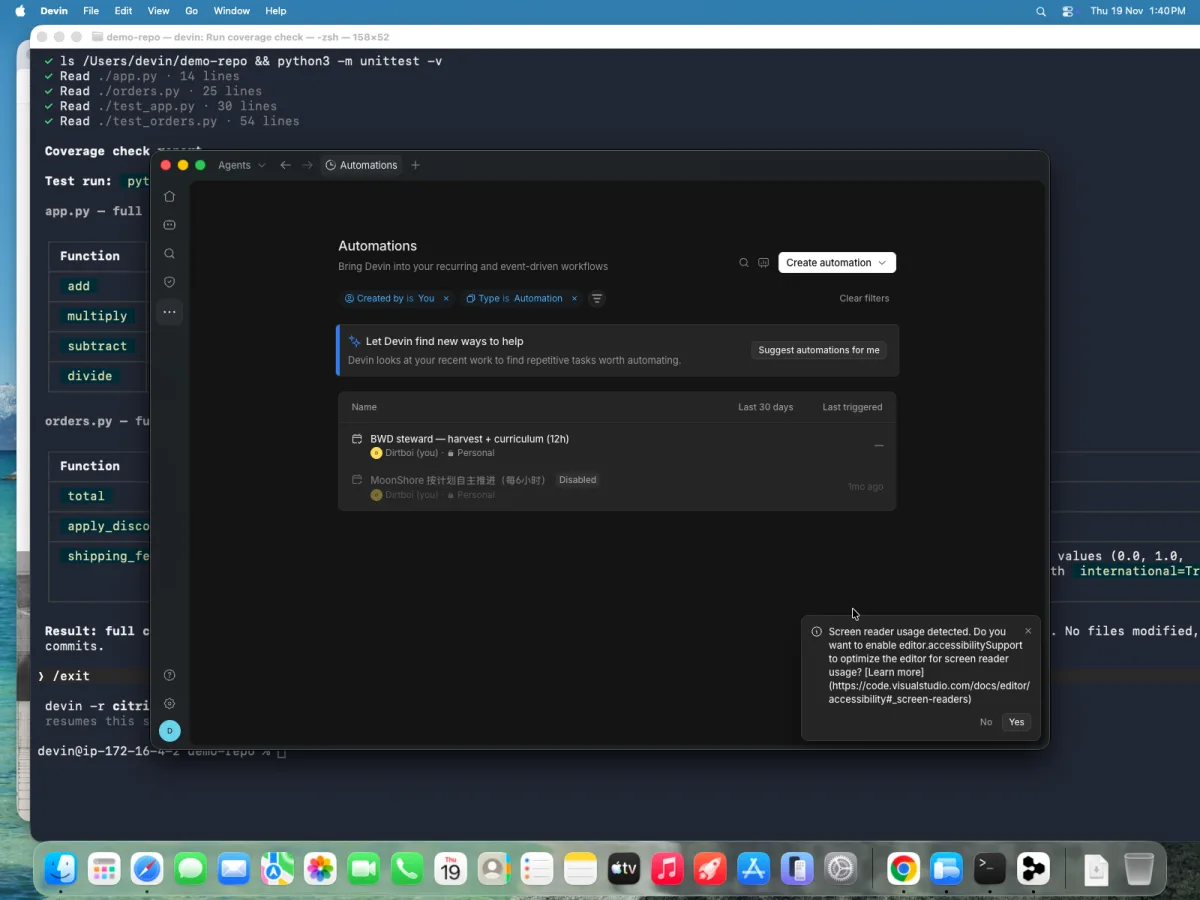 1. The Automations page — existing automations plus the Create automation dropdown
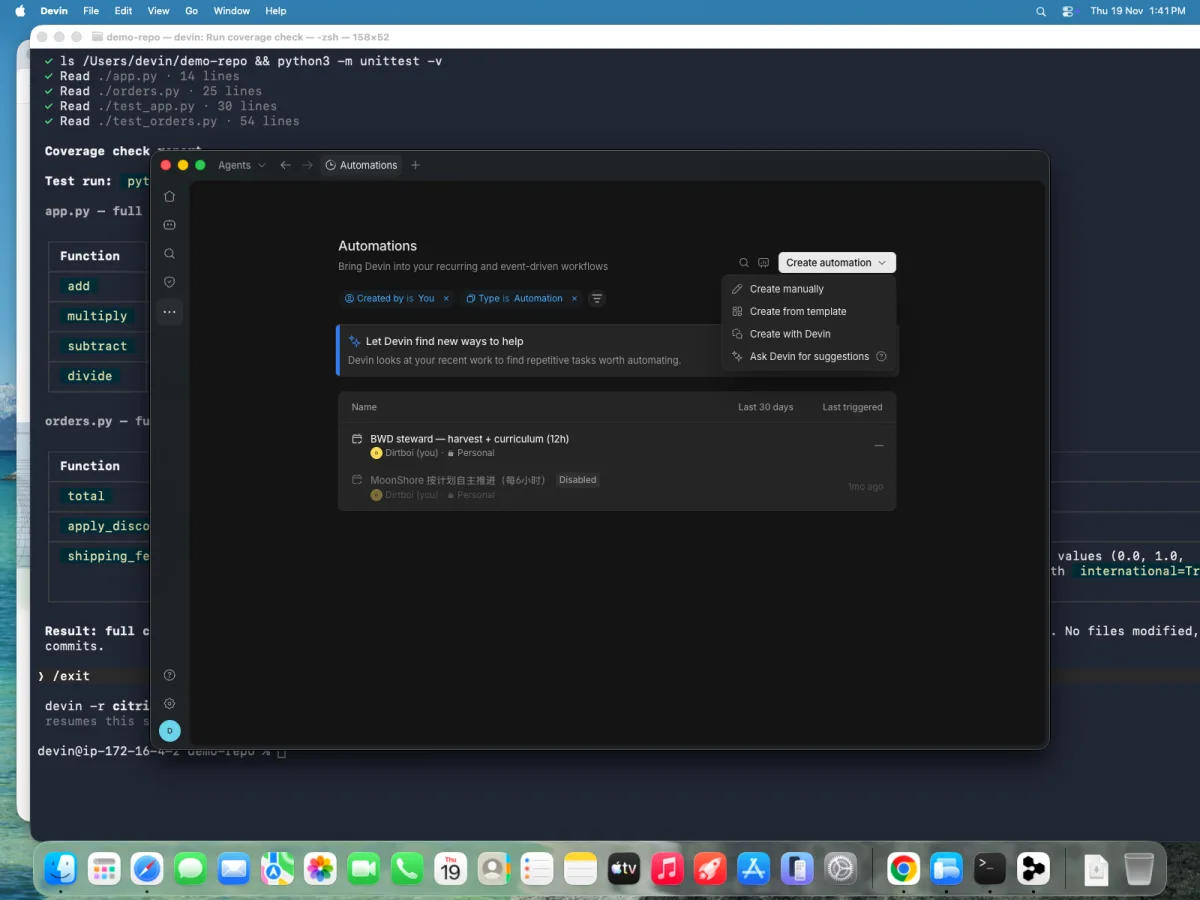 2. Four creation paths — Create manually / from template / with Devin / ask for suggestions
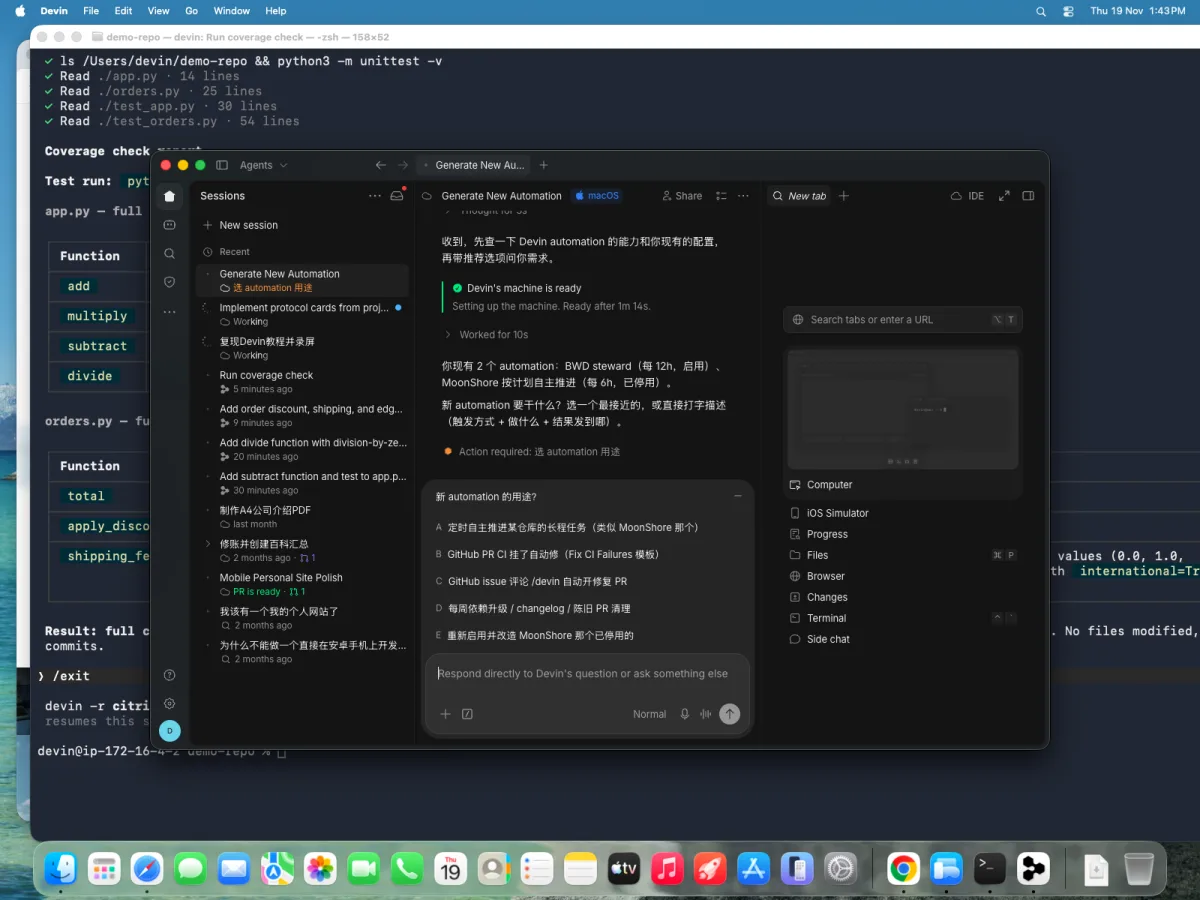 3. The generate session asks targeted questions — it already knows your existing automations
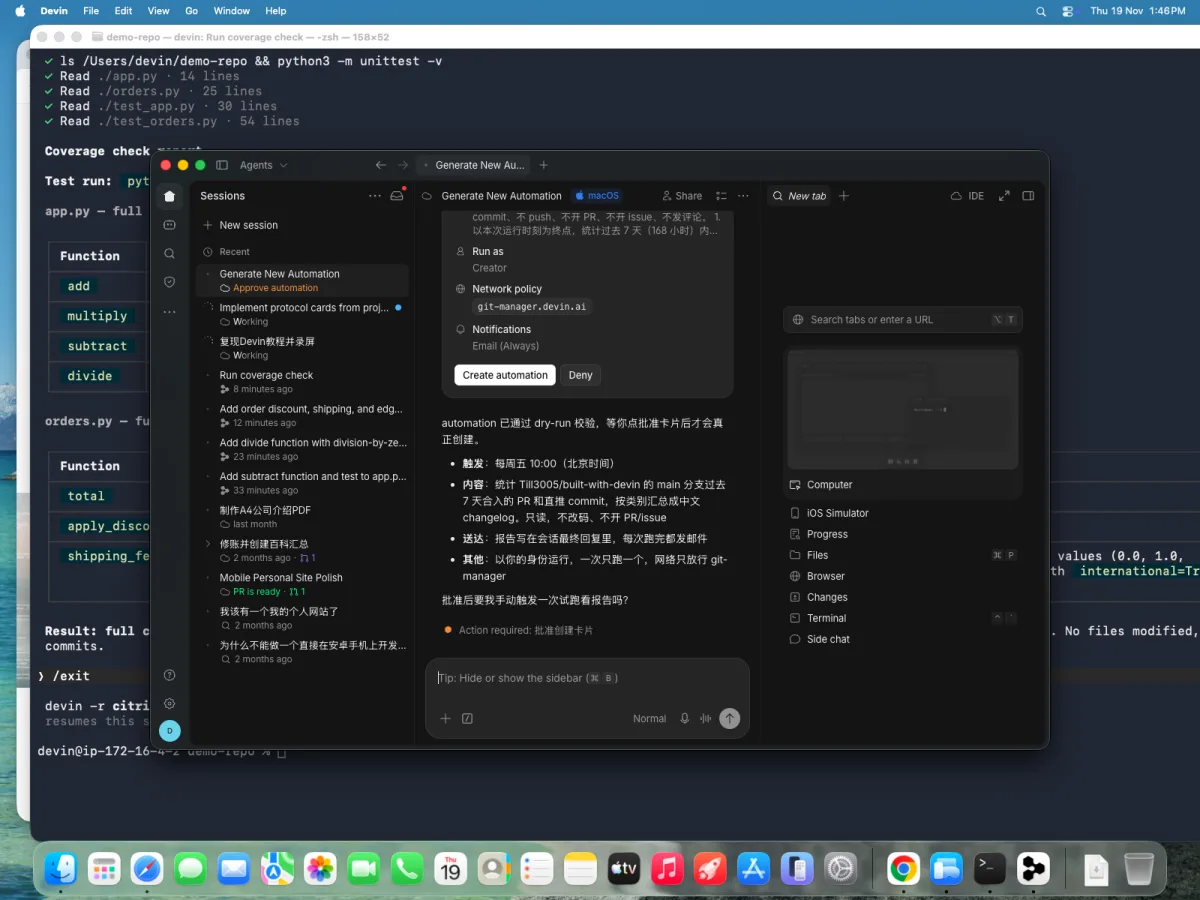 4. Every creation is gated on an approval card — trigger, scope, run-as and network policy shown
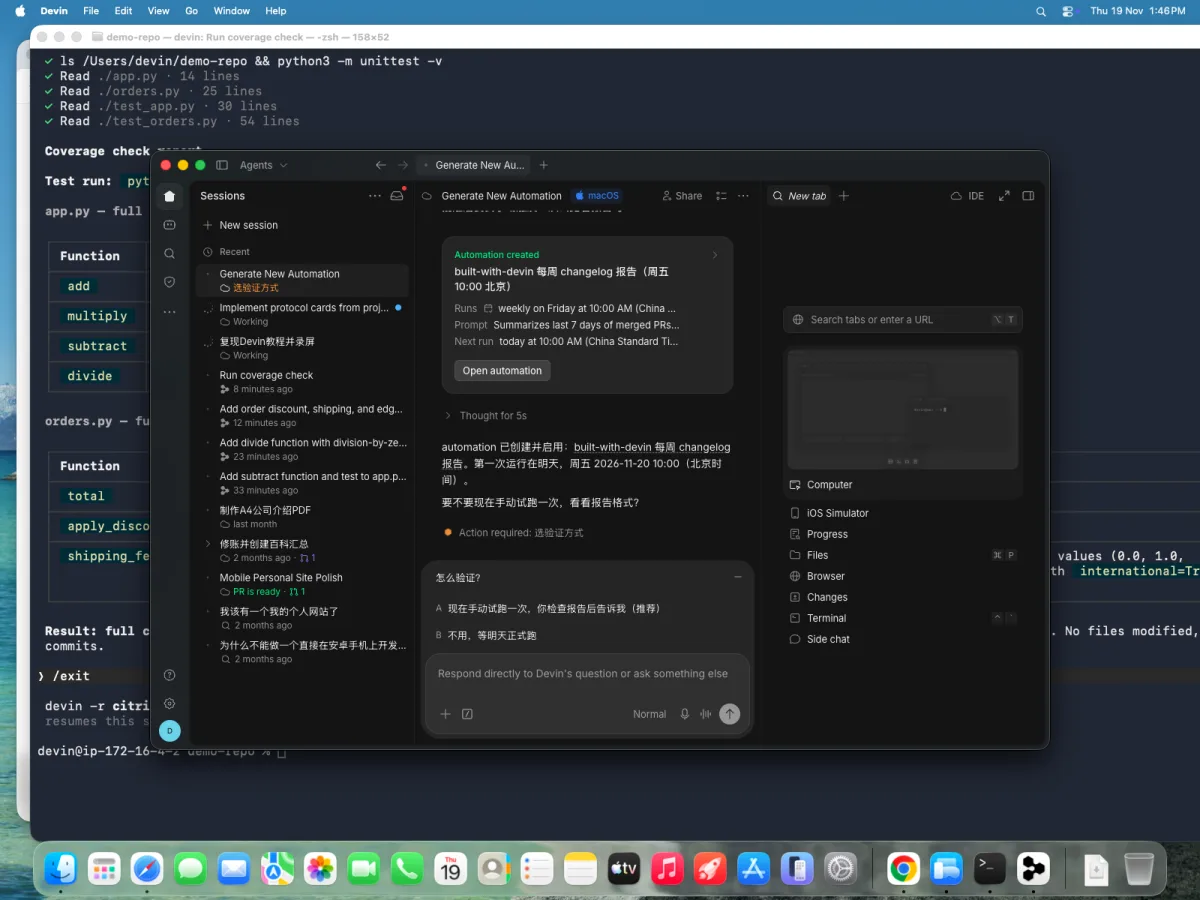 5. Automation created — weekly Friday 10:00 CST, read-only report, email notification
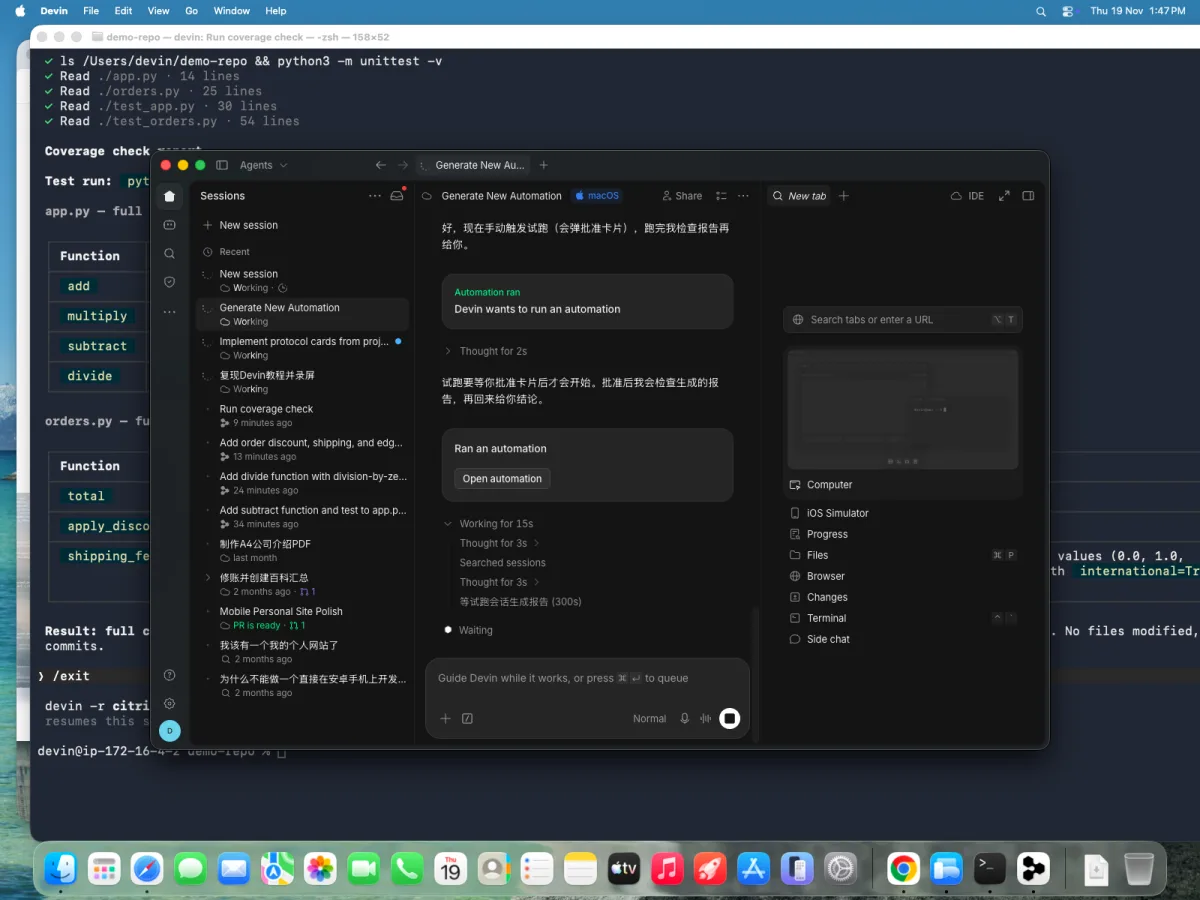 6. The manual fire — same approval-card gate; the spawned session appears in the sidebar
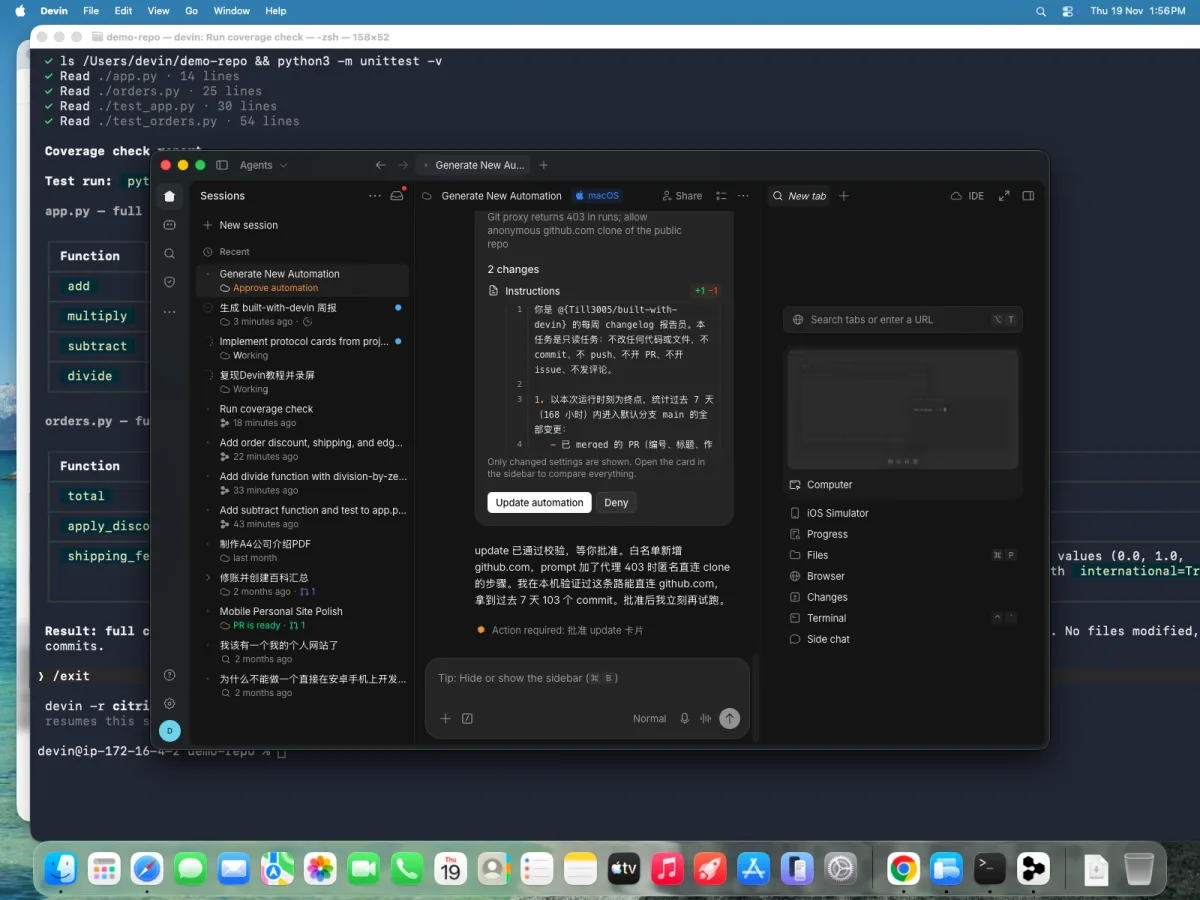 7. An honest hiccup — the spawned session's git-proxy clone returned 403 (twice); the fix was adding github.com to its network policy plus an anonymous-clone fallback — automation sessions don't automatically share your shell's git access
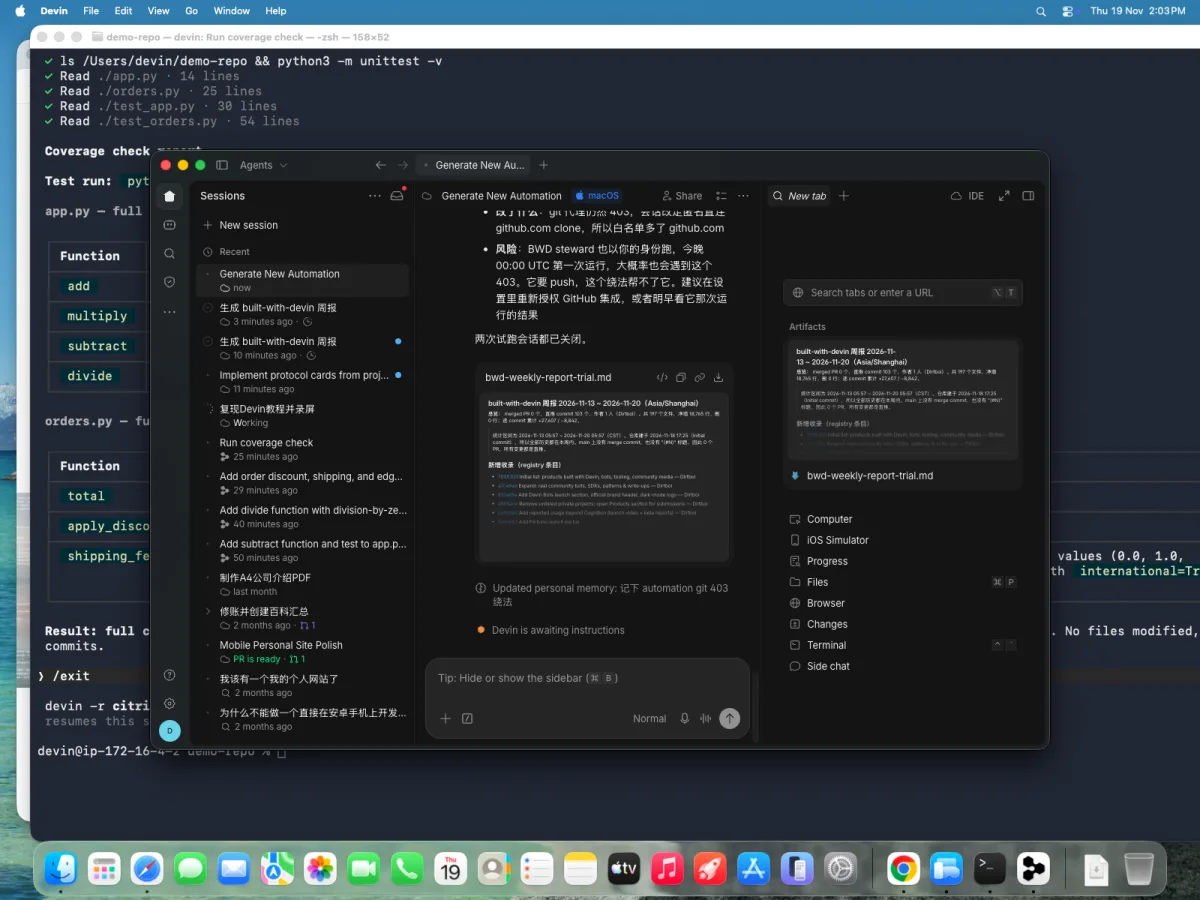 8. The verified output — a real categorized changelog of the week's 103 commits, delivered as an artifact
Verify it#
- [ ] Fire the trigger manually once (comment
/devin test, or push a failing commit) and watch a session start with the event payload - [ ] A non-matching event (wrong label, wrong channel) does nothing
- [ ] The action's output lands where you expected (PR, Slack thread, ticket)
Pitfalls#
- Loops. An automation whose output can re-trigger itself (Devin comments on a PR, the trigger watches "new comment") will burn sessions forever. Gate on author, label, or event subtype.
- Trigger storms. A webhook that fires per-commit instead of per-PR can spawn 50 sessions on a busy day. Throttle: one automation per claimable unit of work, not per raw event.
- No approval gate. Auto-merging or auto-deploying on a trigger skips the human control point — keep the "session opens a PR, a person merges" pattern unless you have a measured reason not to.
Knowledge check#
- A teammate wants Devin to "watch every GitHub notification" — what do you ask them to narrow first? (Which event subtype actually implies actionable work — a label applied, a review requested — not every notification.)
- Why must a non-matching event produce no session rather than a session that decides to no-op? (Sessions cost ACUs; gating upstream is free, gating inside a session is not.)
- When does an automation need a Bot instead? (When the triggered work needs judgment accumulated over time — memory, priorities, a standing outcome.)
Sources#
- Automations — docs
- Devin Automations QuickStart (video)
- Related: Guide 3 — Scheduled-sentinel Bot for adding Bot judgment on top of a cron